

Hackers don’t always need sophisticated malware to break into your systems. Sometimes all they need is a convincing story and a few seconds of your time. Social engineering attacks exploit human psychology rather than technical vulnerabilities, making them one of the most dangerous threats facing organizations today.
Social engineering tactics manipulate human behavior to bypass security controls. Hackers use psychological triggers like urgency, authority, and trust to trick employees into revealing credentials, transferring money, or granting system access. Understanding these manipulation techniques helps organizations build stronger human defenses against attacks that no firewall can stop.
Why technical security isn’t enough
Your organization might have the best firewalls, encryption protocols, and intrusion detection systems money can buy. But none of that matters if an attacker can simply call your help desk, pretend to be the CEO, and convince someone to reset a password.
Social engineering works because it targets the weakest link in any security system: people. Attackers study human psychology, organizational hierarchies, and common workplace behaviors to craft convincing scenarios that bypass technical controls entirely.
The statistics are sobering. Studies show that over 90% of successful cyberattacks start with some form of social engineering. These attacks cost organizations billions annually, not just in direct financial losses but also in data breaches, regulatory fines, and reputational damage.
Pretexting creates believable scenarios
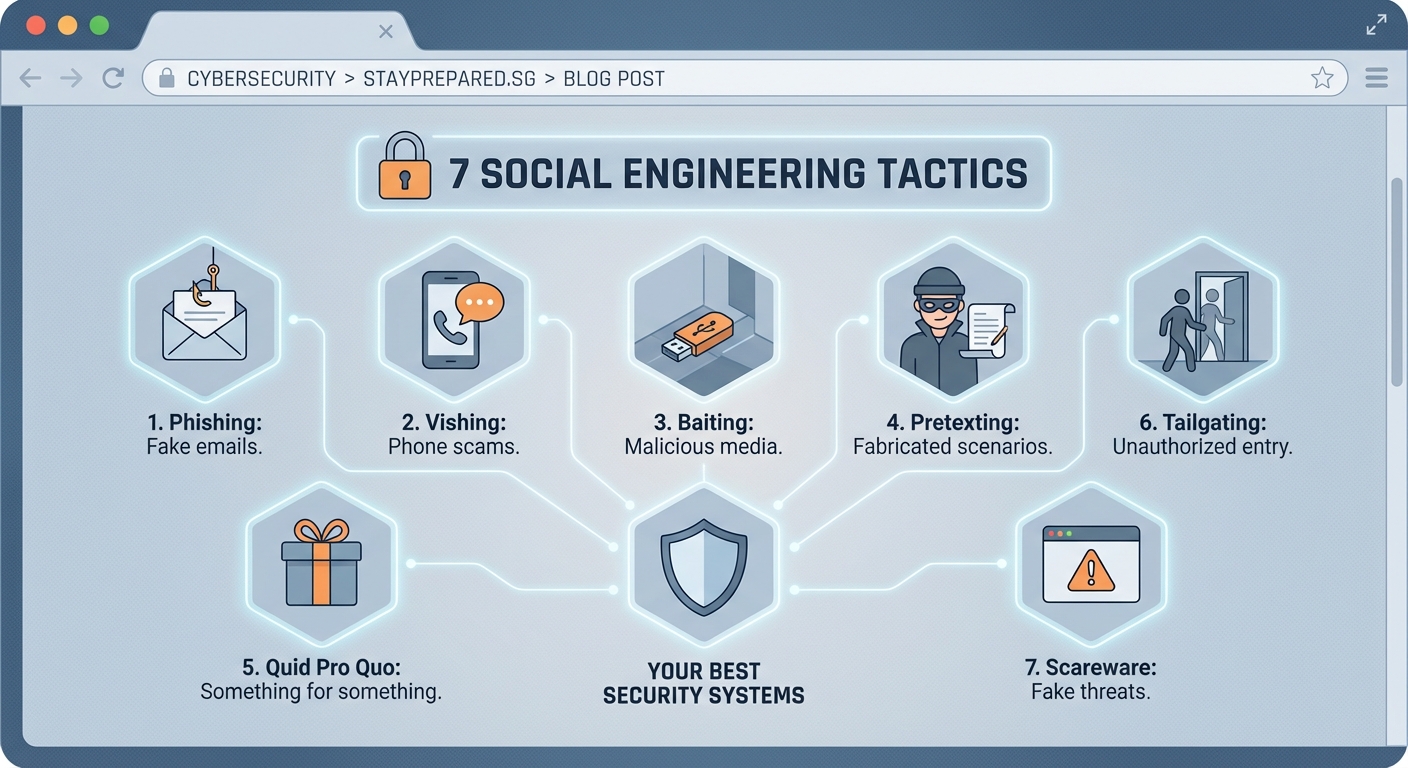
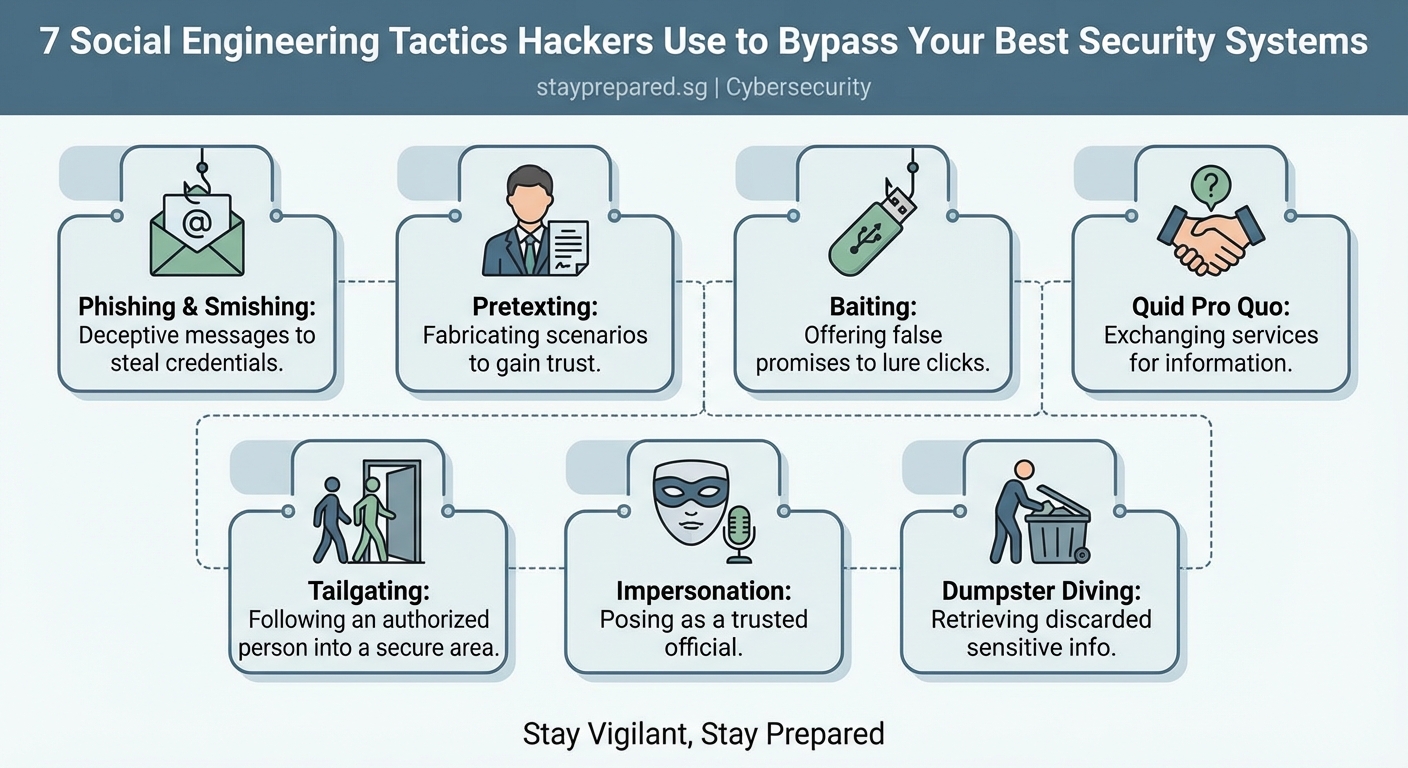
Pretexting involves creating a fabricated scenario to manipulate targets into sharing information or performing actions they normally wouldn’t. The attacker builds a detailed backstory and assumes a fake identity to establish trust.
A common pretexting scenario involves an attacker posing as an IT support technician. They might call an employee claiming there’s a critical security update that requires immediate password verification. The pretext sounds legitimate because IT departments do occasionally need to verify credentials for maintenance purposes.
Here’s how pretexting typically unfolds:
- The attacker researches the target organization and identifies key personnel
- They craft a believable identity and scenario based on real organizational processes
- They contact the target using information that demonstrates insider knowledge
- They use the established trust to extract sensitive information or gain access
The effectiveness of pretexting relies on thorough preparation. Attackers often spend weeks researching their targets through social media, company websites, and public records. They learn organizational jargon, understand reporting structures, and identify upcoming projects or events they can reference to sound authentic.
“The most successful social engineering attacks don’t look like attacks at all. They look like normal business interactions until it’s too late.”
Phishing casts the widest net
Phishing remains the most widespread social engineering tactic because it’s scalable and surprisingly effective. Attackers send fraudulent emails designed to look like legitimate communications from trusted sources.
These emails typically contain one of three elements:
- Malicious links that redirect to fake login pages designed to steal credentials
- Infected attachments that install malware when opened
- Urgent requests that pressure recipients into taking immediate action
The sophistication of phishing attacks varies dramatically. Some are obvious spam with poor grammar and suspicious sender addresses. Others are meticulously crafted to mimic legitimate corporate communications, complete with proper branding, realistic sender domains, and context-specific information.
Spear phishing takes this further by targeting specific individuals with personalized content. An attacker might reference a recent conference the target attended, mention a mutual connection, or discuss a project the target is working on. This personalization dramatically increases success rates.
Baiting exploits curiosity and greed

Baiting attacks offer something enticing to lure victims into a trap. The “bait” could be physical, like a USB drive labeled “Employee Salaries 2024” left in a parking lot, or digital, like a pop-up advertisement promising a free gift card.
Physical baiting attacks work because people are naturally curious. An employee finds a USB drive near the office entrance and plugs it into their work computer to see what’s on it. That USB drive contains malware that immediately begins compromising the network.
Digital baiting often appears as:
- Free software downloads that bundle malware with legitimate applications
- Promotional offers requiring users to enter credentials on fake websites
- File-sharing services hosting infected documents disguised as valuable resources
The psychological trigger here is simple: people want free things and are curious about mysteries. Attackers exploit these natural human tendencies to bypass security awareness training.
Tailgating bypasses physical security
Not all social engineering happens online. Tailgating, also called piggybacking, involves following authorized personnel into restricted areas without proper credentials.
Picture this scenario: An attacker wearing business attire and carrying a laptop bag approaches a secure office entrance right behind an employee. The employee swipes their badge and holds the door open, assuming the person behind them is also an employee. The attacker smiles, thanks them, and walks right into the building.
This tactic works because:
- People are naturally polite and don’t want to seem rude by letting a door close
- The attacker appears to belong by dressing appropriately and carrying work-related items
- Employees assume security is someone else’s responsibility
- Confronting strangers feels uncomfortable for most people
Once inside, the attacker can access unattended computers, plug devices into network ports, or simply observe sensitive information on whiteboards and desks. Physical access opens countless opportunities for further compromise.
Quid pro quo offers fake services
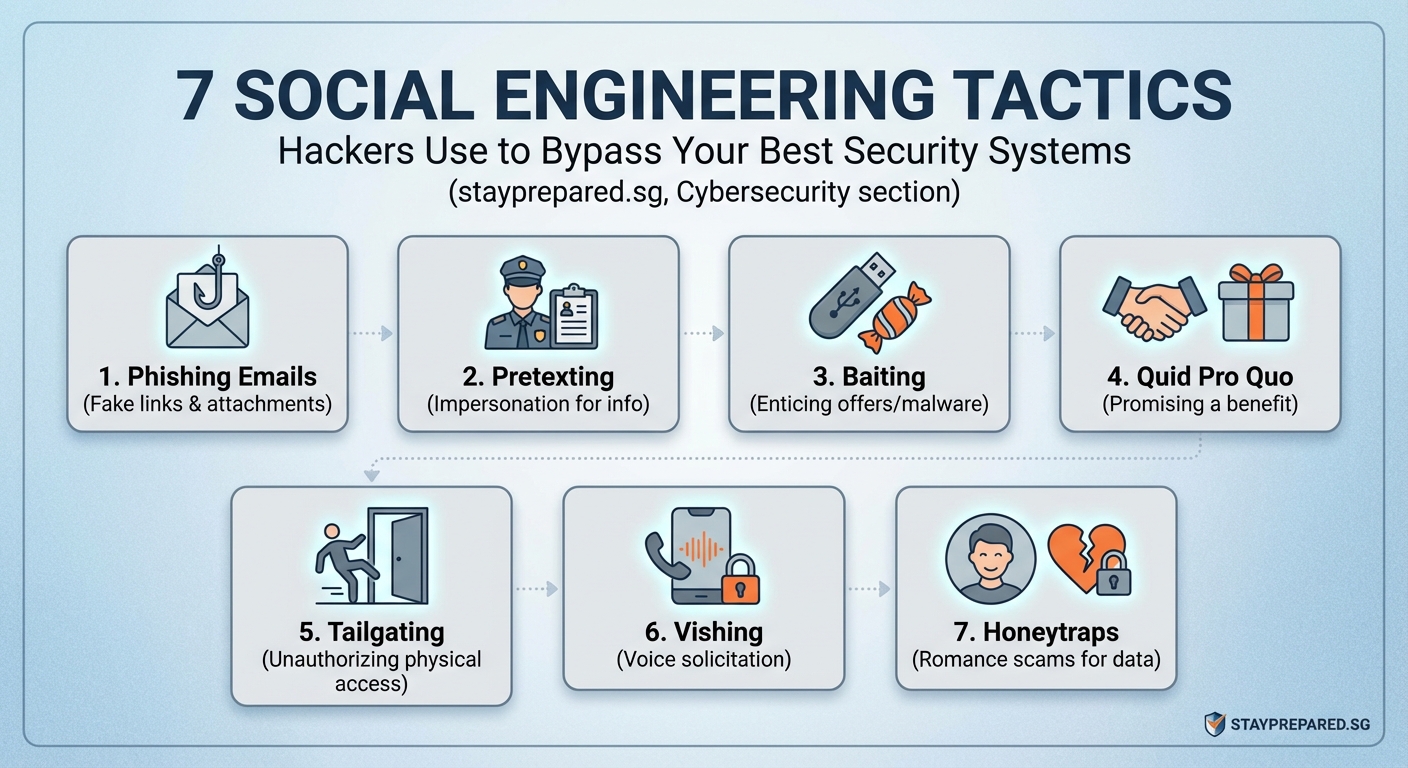
Quid pro quo attacks involve offering a service or benefit in exchange for information or access. The classic example is an attacker calling random extensions at a company, claiming to be from IT support, and offering to help with computer problems.
Most people will say they don’t have any issues. But eventually, the attacker reaches someone experiencing actual technical difficulties. That person eagerly accepts the “help” and follows instructions that might include disabling security software, installing remote access tools, or revealing login credentials.
The exchange seems fair to the victim. They receive technical assistance, and in return, they simply follow some troubleshooting steps. They don’t realize those steps are actually compromising their system.
This tactic is particularly effective in large organizations where employees regularly interact with support staff they’ve never met. The impersonal nature of corporate IT departments makes it difficult to verify whether a caller is legitimate.
Authority and urgency override judgment
Attackers frequently impersonate authority figures to pressure targets into compliance. This could mean posing as a senior executive, law enforcement officer, or regulatory official.
The psychological principle is straightforward: people tend to obey authority figures without questioning their requests. When someone who appears to be the CEO emails requesting an urgent wire transfer, employees often comply without following normal verification procedures.
Urgency amplifies this effect. Attackers create artificial time pressure to prevent targets from thinking critically or following security protocols. Common urgency tactics include:
- Claiming accounts will be suspended if immediate action isn’t taken
- Referencing fake deadlines for regulatory compliance
- Suggesting that delays will result in financial losses or security breaches
- Implying that questioning the request demonstrates incompetence or insubordination
Here’s a comparison of legitimate requests versus social engineering attacks:
| Characteristic | Legitimate Request | Social Engineering Attack |
|---|---|---|
| Verification process | Encourages callback verification | Discourages verification attempts |
| Timeline | Reasonable deadlines | Extreme urgency without justification |
| Communication channel | Uses established channels | Often introduces new channels |
| Request nature | Follows standard procedures | Requests policy exceptions |
| Emotional tone | Professional and calm | Creates fear, excitement, or pressure |
Building human defenses
Technical controls alone cannot stop social engineering attacks. Organizations need to build security awareness into their culture and give employees the knowledge and permission to question suspicious requests.
Effective defense strategies include:
- Regular training that uses realistic scenarios rather than generic presentations
- Clear protocols for verifying unusual requests, especially those involving money or access
- A culture that rewards security-conscious behavior rather than punishing mistakes
- Simulated phishing campaigns that help employees recognize warning signs
- Easy reporting mechanisms for suspicious communications
Employees should feel empowered to verify requests through independent channels. If someone claiming to be the CFO emails requesting a wire transfer, calling the CFO directly using a known phone number should be standard practice, not an insult.
Organizations should also establish verification phrases or procedures for sensitive requests. Some companies require executives to use specific code words when making urgent requests outside normal channels. Others mandate multi-person approval for any financial transaction above certain thresholds.
Common mistakes that increase vulnerability
Even security-conscious organizations make errors that social engineers exploit. Understanding these mistakes helps you avoid them.
The biggest mistake is assuming employees will naturally recognize social engineering attempts. Without specific training on current tactics, most people cannot distinguish sophisticated attacks from legitimate communications.
Another critical error is creating security policies so cumbersome that employees routinely work around them. If your password reset process takes three days, people will find unofficial shortcuts that attackers can exploit.
Organizations also fail by treating security awareness as a one-time training event rather than an ongoing practice. Attackers constantly evolve their tactics, so employee knowledge must evolve too.
Some additional vulnerabilities include:
- Sharing too much information on company websites and social media
- Failing to verify identities before granting physical access
- Not establishing clear escalation procedures for suspicious requests
- Punishing employees who report potential attacks, creating fear of admitting mistakes
- Ignoring the human element when designing security controls
Recognizing manipulation techniques
Understanding the psychological tactics attackers use helps you recognize when you’re being manipulated. Most social engineering attacks rely on a handful of proven psychological triggers.
Reciprocity makes people feel obligated to return favors. An attacker might offer help or information, creating a sense of debt that makes the target more likely to comply with subsequent requests.
Social proof suggests that if others are doing something, it must be acceptable. Attackers might claim “everyone in the department has already completed this security update” to pressure compliance.
Scarcity creates fear of missing out. Limited-time offers or claims that “only three spots remain” trigger hasty decisions without proper evaluation.
Liking means people are more easily persuaded by those they find agreeable. Attackers build rapport through small talk, shared interests, or compliments before making their actual request.
Commitment and consistency drive people to act in ways that align with previous commitments. An attacker might start with small, innocuous requests before escalating to more significant asks.
Protecting yourself and your organization
Personal vigilance combined with organizational policies creates the strongest defense against social engineering.
On an individual level, always verify unexpected requests through independent channels. If you receive an urgent email from your boss, call them directly using a known phone number rather than replying to the email or using contact information provided in the message.
Be skeptical of urgency. Legitimate business processes rarely require instant action without any verification. Pressure to “act now” is a red flag.
Examine sender information carefully. Attackers often use email addresses that look similar to legitimate ones but contain subtle differences. Check the actual email address, not just the display name.
Never provide credentials, financial information, or sensitive data in response to unsolicited requests, regardless of how legitimate they appear.
For organizations, implement these protective measures:
- Establish clear verification procedures for sensitive requests
- Create multiple approval requirements for financial transactions
- Conduct regular security awareness training with realistic scenarios
- Test employee awareness through simulated attacks
- Build a culture where questioning suspicious requests is encouraged and rewarded
Consider implementing technical controls that complement human awareness. Email filtering can catch many phishing attempts. Multi-factor authentication prevents credential theft from immediately resulting in account compromise. Physical access controls reduce tailgating opportunities.
Staying one step ahead
Social engineering tactics continue to evolve as attackers learn what works and adapt to defensive measures. What seemed like an obvious scam last year might be refined into a convincing attack today.
The rise of artificial intelligence tools has made social engineering even more dangerous. Attackers can now generate highly convincing phishing emails at scale, create deepfake audio of executives, and automate research on potential targets.
Your best defense is continuous learning and healthy skepticism. Stay informed about emerging tactics. Share information about attempted attacks with your team. Build verification into your daily habits rather than treating it as an occasional security measure.
Remember that attackers are betting on your trust, your desire to be helpful, and your reluctance to question authority. By understanding these tactics and maintaining awareness, you transform from a potential victim into a human firewall that protects both yourself and your organization.
Security isn’t just about technology. It’s about people making informed decisions, even when under pressure. Every time you pause to verify a suspicious request, you’re defending against attacks that bypass every technical control. That moment of skepticism might be exactly what prevents the next successful breach.