
Your phone rings. Or rather, it stops ringing. Suddenly, your cellular service drops to zero. No bars. No texts. No calls. At first, you blame your carrier. But what if the network is fine? What if someone else just tricked your mobile provider into swapping your SIM to a device they control?
That is a SIM swapping attack. It is one of the most dangerous threats to your digital identity because it bypasses the one thing most people rely on for security: SMS codes. In 2026, these attacks are more common than ever. The good news is that you do not have to be a cybersecurity expert to defend yourself. You just need to know the right steps.
SIM swapping lets attackers hijack your phone number by tricking your carrier. Once they have it, they can reset passwords to your bank, email, and social media accounts. You can stop them by locking your SIM with a PIN, using authenticator apps instead of SMS, strengthening carrier security protocols, monitoring for early warning signs, and maintaining a separate backup number for critical accounts. Act now because waiting until you lose service is too late.
Why SIM swapping is a bigger threat in 2026
SIM swapping is not a new scam. But the tactics have evolved. In earlier years, attackers mostly relied on bribing call center employees or using stolen personal data to impersonate you. Today, they combine those methods with AI-powered voice cloning and deepfake technology. A criminal can call your carrier, mimic your voice using a short audio sample scraped from social media, and authorize a transfer before you know what happened.
The Federal Trade Commission reported a sharp rise in SIM swap complaints over the past few years. The trend has not slowed. As more financial institutions push for SMS-based verification as a requirement for high-value transfers, your phone number has become the master key to your entire digital life.
If a thief takes control of your number, here is what they can do:
- Reset your email password using the “forgot password” feature
- Access your bank account by intercepting one-time codes
- Take over your social media profiles and message your contacts
- Drain cryptocurrency wallets that rely on SMS verification
- Lock you out of everything by changing recovery credentials
The damage can happen in minutes. And because most carriers do not notify you instantly that a swap occurred, you might not realize it until your accounts are already compromised.
The 5 step plan to stop SIM swapping attacks
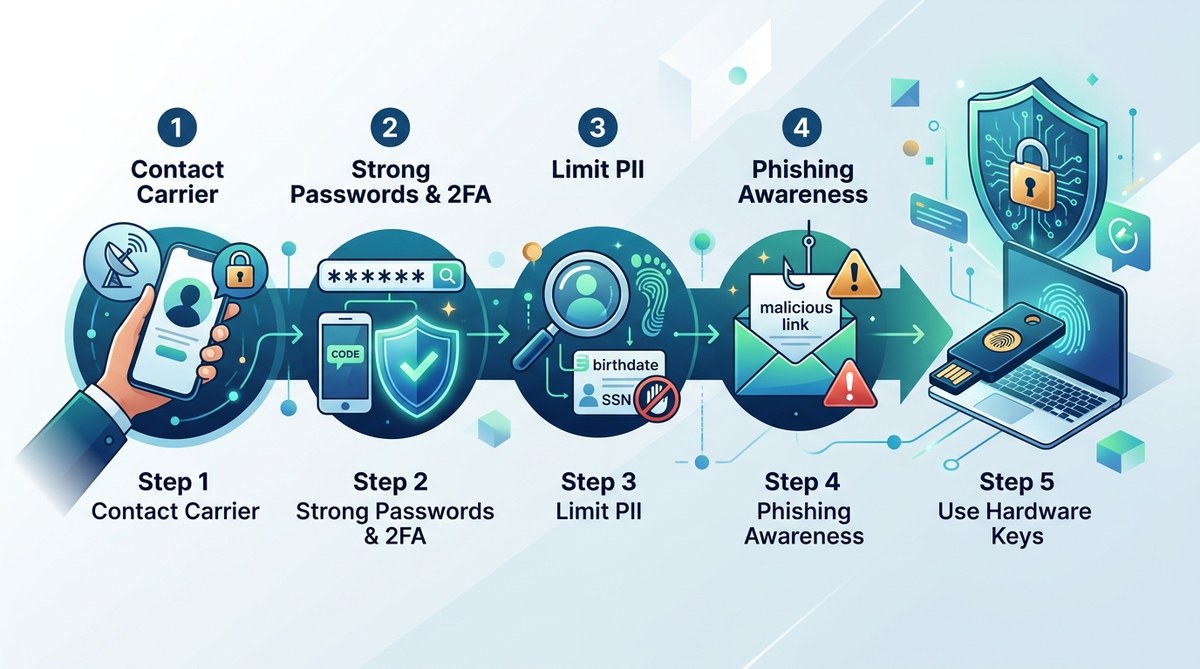
You need a layered defense. No single fix makes you invincible. But combining these five steps creates a security net that will stop most attacks cold.
1. Add a PIN or password to your mobile account
This is your first line of defense. Every major carrier in the United States allows you to set a separate account PIN or passcode. This code is required before any changes can be made to your account, including SIM card swaps.
Call your carrier or go into your account settings online. Find the security section. Set a PIN that is:
- Between 6 and 8 digits
- Not your birthday, anniversary, or any number found in a data breach
- Stored in a password manager, not written on a sticky note
If you use a prepaid carrier, ask about their SIM swap protection options. Some smaller providers do not offer a PIN system. In that case, consider switching to a carrier that takes security seriously.
2. Switch from SMS two factor authentication to an authenticator app
SMS codes are convenient. They are also the weakest link in your security. The entire point of a SIM swap is to steal those codes. If you use an authenticator app like Google Authenticator, Microsoft Authenticator, or Authy, the code is generated on your device. Even if a criminal has your phone number, they cannot see the code.
This is not just a minor improvement. It changes the game. An attacker who successfully swaps your SIM will receive your SMS codes, but they will be staring at a blank screen when you use an authenticator app that never touches the mobile network.
Take these steps:
- Go through every important account: your primary email, bank, investment accounts, social media, and any service that holds payment info
- Change the two factor method from SMS to an app
- Write down or print the backup recovery codes and store them somewhere safe
Some platforms like Google and Facebook already push users toward app-based authentication. Follow their lead. If a service only offers SMS and refuses to support authenticator apps, consider moving your business elsewhere.
3. Lock your SIM card with a SIM PIN
Your phone has a SIM card. That card has its own PIN feature, separate from your phone’s lock screen. When enabled, the SIM PIN must be entered every time your phone restarts or the SIM is inserted into a different device.
This does not prevent a carrier side swap. But it adds an extra barrier. If a thief physically steals your phone and tries to use your SIM in another device, they will hit this wall.
To set a SIM PIN on an iPhone:
- Open Settings
- Tap Mobile Service or Cellular
- Select SIM PIN
- Turn it on and enter a four to eight digit code
On Android:
- Open Settings
- Go to Network and Internet or Connections
- Select SIM card lock
- Enable Lock SIM card and set your PIN
Write down the default PIN from your carrier before you change it. If you enter the wrong code three times, your SIM will be permanently locked and you will need a replacement.
4. Use a separate phone number for high security accounts
This sounds complicated, but it is simpler than you think. Get a cheap prepaid phone or a second eSIM line that you never share publicly. Use this number exclusively for financial accounts and your primary email recovery.
Even if an attacker successfully swaps your main number, your bank still sends codes to the backup line they do not know about. This creates a separation that criminals rarely expect.
For most people, adding a $10 to $20 per month prepaid plan is enough. Keep that phone at home. Do not install social media apps on it. Do not give the number to friends. Treat it like a vault key.
5. Monitor for early warning signs and act immediately
A SIM swap does not usually happen without clues. You just need to know what to look for.
Watch for these red flags:
- Your phone suddenly loses service while other devices in the same location work fine
- You receive an unexpected text from your carrier saying your SIM has been activated on another device
- You get password reset emails or texts that you did not request
- Your social media or email account logs you out with a message that the password was changed
If you see any of these signs, do not wait. Call your carrier immediately from a different phone. Use the carrier’s fraud hotline. Tell them you suspect a SIM swap and ask them to freeze your account.
Then, log into your email using a computer or a secondary device. Change the password right away. Enable app-based two factor authentication if you have not already. Check your bank accounts for unauthorized transactions.
| Technique | How It Helps | Common Mistake |
|---|---|---|
| Account PIN | Prevents carrier side swap without your permission | Using a guessable PIN like 1234 or birth year |
| Authenticator app | Stops attackers from intercepting 2FA codes | Still relying on SMS as a backup method |
| SIM PIN | Blocks physical SIM use in another phone | Forgetting the PIN and getting locked out |
| Second phone number | Creates a separate channel for critical alerts | Sharing the number publicly |
| Monitoring signals | Catches an attack in progress | Ignoring a temporary service loss |
“The average SIM swap attack takes less than 10 minutes to execute, but the cleanup can take months. Prevention is always cheaper than recovery.” — Federal Bureau of Investigation, Cyber Division (2025 Public Advisory)
What to do if you are already a victim
If your phone suddenly goes dark and you suspect a swap, act fast. Time is your only advantage. Here is your recovery checklist:
- Visit your carrier’s nearest store with a government ID. Ask them to reverse the swap and restore your number to a new SIM card.
- Call your bank from a friend’s phone or a landline. Freeze all accounts. Ask them to place a fraud alert on your profile.
- Change the password for your primary email using a computer. That email is the recovery address for everything else.
- Check your Google and Apple accounts. If they were accessed, use the device recovery options to sign the attacker out.
- File a report with the Federal Trade Commission at IdentityTheft.gov.
- Place a fraud alert on your credit reports with Experian, Equifax, and TransUnion.
Do not assume that just getting your number back fixes everything. The attacker likely saved your passwords or set up forwarding rules in your email. Go through every account methodically.
How carriers are fighting back in 2026
Mobile carriers have gotten serious about SIM swap prevention. Most major US carriers now require in-person verification with a government ID for high risk changes. Some use biometric checks or send confirmation texts to secondary devices.
The mobile industry adopted a new voluntary standard in 2025 called the Number Portability Verification Protocol. It requires carriers to cross check port requests against customer provided data before processing. This has reduced some bulk attacks, but determined criminals still find ways around it through social engineering.
Do not assume your carrier has your back just because new standards exist. You still need to take personal responsibility for your own security. A carrier’s responsibility ends at the network level. Your accounts, your money, and your reputation are yours to protect.
The tools and habits that keep you safe
Beyond the five core steps, adopt these habits to make yourself a harder target:
- Use a password manager to generate unique passwords for every account. Reused passwords give attackers a foothold when they dig through data dumps.
- Set up account recovery options that do not rely on your phone. Designate a recovery email address that is not tied to your mobile number.
- Turn on login notifications for all major services. Get an alert every time a new device or location accesses your account.
- Freeze your credit with the three major bureaus. This does not stop a SIM swap, but it prevents the attacker from opening new accounts in your name.
- Review your digital footprint regularly. A simple security check like the one outlined in our how to conduct a personal security audit in 7 simple steps guide can reveal weaknesses before attackers do.
Your identity is not a negotiation
SIM swapping attacks are not going away. As long as SMS remains a common authentication method, criminals will keep trying to steal your phone number. The difference between a victim and someone who walks away unscathed is preparation.
You do not need to be paranoid. You just need to be proactive. Set that carrier PIN today. Download an authenticator app before you need it. Tell your friends and family to do the same. The ten minutes it takes to lock down your accounts is nothing compared to the months of misery that follow a successful attack.
Take a breath. Open your phone settings. Start with step one. Your future self will thank you.