
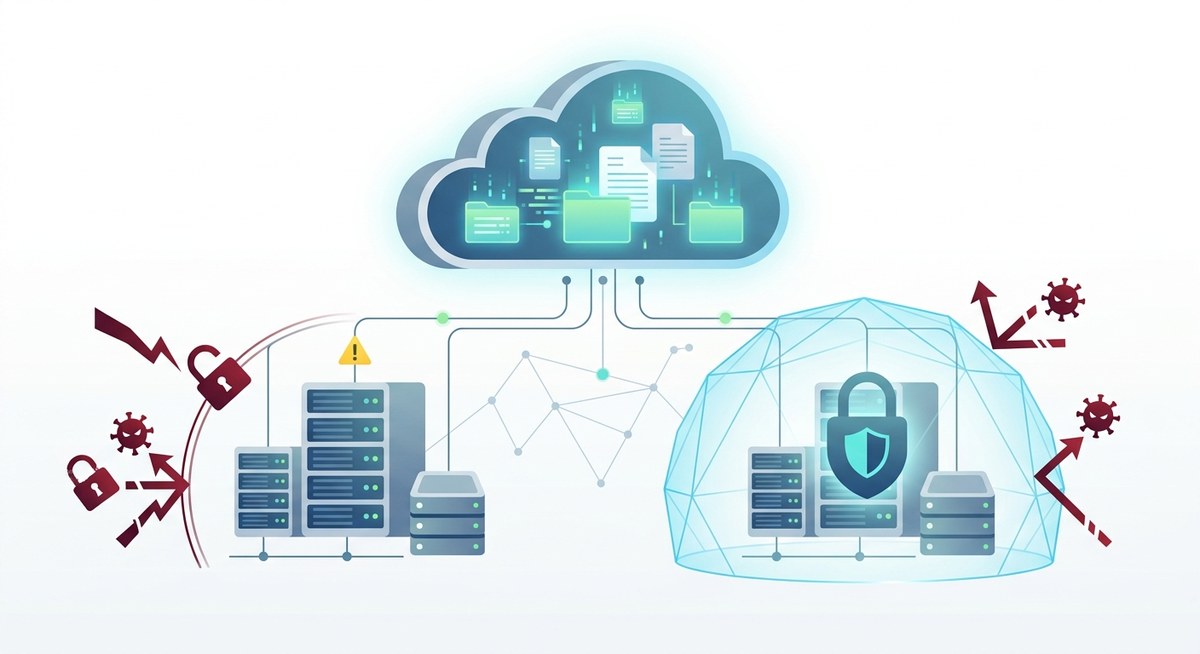
Your cloud backup runs every night. You see the green checkmark in the morning and sleep easy. But here is a hard truth: that backup might be your last line of defense, or it could be the very thing that hands your data to cybercriminals. Ransomware gangs have evolved. They no longer just encrypt live files; they hunt down backup repositories and corrupt them, poison them, or delete them before triggering the ransom note. In 2026, assuming your cloud backups are safe by default is a risk you cannot afford to take.
Cloud backups are a prime target for ransomware. Attackers exploit sync tools, stolen credentials, and cloud APIs to infect or erase your recovery copies. True cloud backup ransomware protection requires immutable storage, air gapping, access controls, and regular restore testing. Without these layers, a single breach can wipe out both your production data and your safety net.
The Dangerous Assumption: “My Cloud Backup Is Safe Because It’s in the Cloud”
Many IT administrators and business owners believe that storing backups with a major cloud provider (AWS, Azure, Google Cloud, or a SaaS backup vendor) automatically protects them from ransomware. That belief is wishful thinking. Cloud storage does not have a built in immune system against ransomware. In fact, cloud backups are often more vulnerable because people let their guard down.
Let us look at the common mistakes and what you should do instead.
| Common Mistake | Why It Fails | What Works |
|---|---|---|
| Using the same credentials for backup and production | A single credential leak gives attackers access to both | Separate accounts with least privilege and MFA for backup systems |
| Relying on native versioning only | Ransomware can delete all versions if it has write access | Immutable snapshots with object lock that prevent deletion or overwrite |
| Syncing backups via real time file sync tools | Infected files sync to the backup immediately, corrupting it | Use a backup service that creates point-in-time copies, not continuous sync |
| Assuming the cloud provider handles ransomware | Cloud providers protect infrastructure, not your data logic that exposes it | Own the recovery strategy; use independent validation and scanning |
The core issue is that cloud backups are still connected to the same identity and network fabric as your live environment. If an attacker breaches your cloud account or an endpoint that has sync rights, they can reach the backup directly.
How Ransomware Reaches Your Cloud Backups
Attackers use several common pathways to target your backup data. Understanding these vectors is the first step in building real cloud backup ransomware protection.
- Compromised credentials – Phishing or credential stuffing gives an attacker access to your cloud console. From there, they can delete backup buckets, change retention policies, or encrypt objects.
- Infected endpoint sync – If your backup client syncs continuously or daily, a ransomware infected file on a laptop will be copied to the cloud backup. The next restore point then contains the ransomware.
- API abuse – Cloud storage APIs allow programmatic deletion or overwrite. Attackers who gain API keys can issue commands that wipe out backup snapshots silently.
- Lifecycle policy manipulation – Ransomware operators modify object lifecycle rules to delete backups after a few hours instead of the configured 30 days.
- Insider threat or vendor compromise – A backup service employee or a third party tool with high privileges can be exploited to gain access to your backup data.
Every one of these attack paths has been used in real incidents in the past two years. The 2026 ransomware landscape shows that backup destruction is now a standard step in the attack kill chain.
Building a Layered Defense for Cloud Backup Ransomware Protection
You need a strategy that treats your backup environment as a high value target. Here is a practical, numbered approach.
-
Implement immutability at the storage layer. Use object lock (S3 Object Lock, Azure Blob Storage immutability, or similar) to prevent deletion or modification of backup objects for a set period. Choose a retention period longer than your typical recovery window (for example, 90 days). Make sure the lock cannot be removed even by an admin without a special process.
-
Isolate backup credentials and access paths. Create a dedicated AWS IAM user or Azure service principal that has write access only to the backup bucket and read access for restore. Do not reuse these credentials anywhere. Enforce hardware based MFA on that account. Consider using a separate cloud account or subscription for backups.
-
Use air gapped or offline copies. Even with immutability, a sophisticated attack might exploit a provider vulnerability. Maintain a secondary copy that is physically or logically disconnected: a cold storage tape vault, a separate region with cross region replication that cannot be deleted from the primary account, or a backup appliance that is only connected during the backup window.
-
Scan backups before restoring. Any restore point could contain dormant ransomware or backdoors. Implement a scanning pipeline that checks backup content for known malware signatures, behavioral anomalies, and indicators of compromise. Only promote a backup to “clean” after it passes these checks.
-
Test your restore process regularly. The ultimate proof of protection is a successful recovery. Schedule quarterly restore drills that simulate a ransomware event. Can you spin up a clean environment from your immutable backup? How long does it take? Document every failure and fix the gaps.
-
Monitor for unusual activity on backup storage. Use cloud logging and alerting to detect mass deletions, changes to lifecycle policies, or access from unusual IP addresses. An attacker who writes a single corrupted file is hard to catch, but bulk operations are noisy. Set up alerts for any API call that modifies backup retention.
“I tell every CISOs I work with: your backup is the crown jewel. Treat it like a nuclear launch code. Separate admin roles, require two person approval for backup deletions, and always keep a copy that is physically air gapped from the network. If ransomware hits, you need a recovery path that the attacker never touched.” — Sarah Lin, Virtual CISO at Resilience Partners
Avoiding the Pitfalls of “Set and Forget” Cloud Backups
Many organizations configure cloud backup once and never revisit it. That is a recipe for disaster. Ransomware tactics change every quarter. Your backup strategy must evolve with them.
Here are three additional elements that strengthen cloud backup ransomware protection:
- Encrypt backups with your own keys (BYOK). If your cloud provider manages the encryption keys, they could be compelled to decrypt your data in a dispute, or an attacker who compromises the provider could access your backups. Use customer managed keys stored in a hardware security module (HSM) or a separate key management service.
- Apply the principle of least privilege everywhere. The backup admin role should be a separate role, not the same as the cloud admin. Break glass procedures should require approval from another person.
- Enable cross region replication with a delay. Replication to a different cloud region can protect against a region wide outage or an attack that targets the primary region. Add a replication delay (for example, 24 hours) so that corrupted data does not replicate before you detect it.
Putting It All Together: A Cloud Backup Ransomware Protection Checklist
Use this summary table to audit your current setup and identify gaps.
| Protection Layer | What to Implement | Priority |
|---|---|---|
| Immutable storage | Object lock with 90 day retention | Critical |
| Separate backup account | Dedicated IAM user with MFA, no reuse | Critical |
| Air gapped copy | Offline tape or separate cloud account | High |
| Pre restore scanning | Malware scan of backup files | High |
| Regular restore tests | Quarterly drills with documented outcomes | Medium |
| Access monitoring | Alerts on deletion, lifecycle changes | High |
| BYOK encryption | Customer managed keys in HSM | Medium |
| Cross region replication | Delayed replication to another region | Medium |
When you combine these layers, you create a defense that can survive even a determined ransomware attack.
From False Confidence to Real Resilience
The question “Are your cloud backups safe from ransomware?” has a simple answer: only if you actively make them safe. Ransomware groups in 2026 are smarter, more patient, and more destructive than ever. They specifically target backup systems because they know that killing the recovery option increases the probability of payment.
But you do not have to be a victim. By treating your cloud backup as a hardened fortress, by testing your recovery procedures, and by staying informed about the latest attack methods, you can ensure that when ransomware strikes, your data is not gone. It is waiting for you in a safe place.
Start with one change today. Audit your current cloud backup permissions and enable immutability if you have not already. Then schedule your first restore drill for next month. Each step you take is a step closer to true cloud backup ransomware protection and peace of mind.
For a deeper look at how to build a broader risk management strategy that includes backup and recovery, read our guide on How to Build a Risk Assessment Framework That Actually Works. And if you want to avoid the most common pitfalls, check out 7 Common Risk Management Mistakes That Could Cost Your Business Everything.