
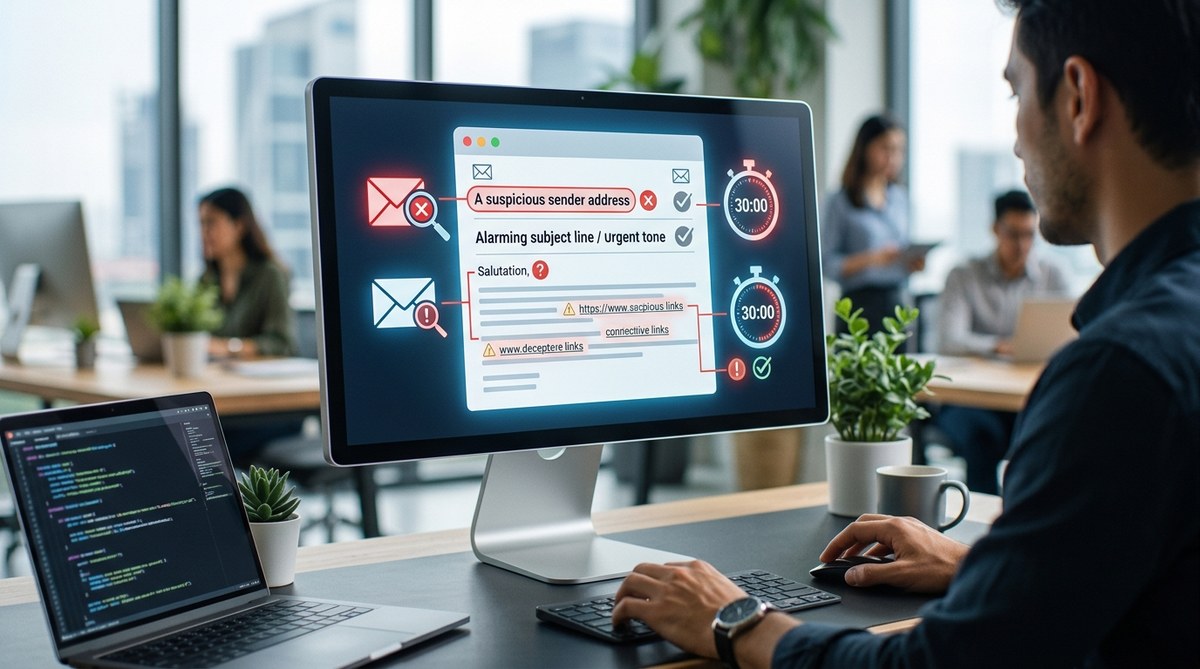
Phishing emails are no longer the clumsy, poorly spelled attempts from a decade ago. Today, they arrive polished, personalized, and timed to catch you when you are distracted. One wrong click can expose your bank account, your work login, or your medical records. The good news? Most phishing emails still follow patterns you can learn to spot in about 30 seconds. This guide walks you through a simple visual checklist that works for any inbox, whether you are checking messages on your phone during a commute or sorting through a crowded work mailbox.
Phishing emails rely on urgency, impersonation, and small visual clues. You can spot most scams in 30 seconds by checking the sender address, hovering over links, reading the tone, and looking for generic greetings or spelling errors. When something feels off, do not click. Verify through a separate channel. Staying alert is your best defense.
(continue with the article content)
## Why Phishing Still Works in 2026
Phishing emails are not new. They have been around since the 1990s, yet people still fall for them every day. Why? Because modern phishing messages look almost identical to real emails from your bank, your boss, or your delivery service. Attackers study how companies write, what they send, and when they send it. Then they copy that tone, style, and urgency to trick you.
The good news? You do not need to be a cyber security expert to protect yourself. You just need a simple checklist and the confidence to slow down. Most phishing emails share the same DNA. Once you learn what that looks like, you can spot them in seconds.
This guide walks you through the fastest way to check any email for danger. You will learn the exact red flags, the common mistakes people make, and the one habit that keeps you safe.
Phishing emails rely on urgency, impersonation, and small inconsistencies. In 30 seconds, you can check the sender address, hover over links without clicking, inspect the greeting and tone, and look for odd attachments. If anything feels off, do not click. Verify through a separate channel. Staying prepared means making these checks a habit, not a reaction.
## Why Phishing Still Works in 2026
Phishing emails remain one of the most effective tools for cybercriminals. Why? Because they target people, not systems. A firewall cannot stop a convincing message that lands in your inbox and asks you to click a link.
The numbers are sobering. In 2026, phishing accounts for a massive share of data breaches worldwide. Attackers keep refining their messages, using urgency, fear, and authority to push you into acting before you think. The good news? Most phishing emails share the same DNA. Once you know what to look for, you can spot them in seconds.
This guide gives you a practical, visual checklist. No jargon. No confusing tech talk. Just clear signs that help you answer the question: is this email safe?
## Why Phishing Emails Still Work
Phishing is not a new threat. It has been around since the early days of the internet. Yet millions of people still fall for it every year. Why? Because modern phishing emails look convincing. They borrow real logos, copy real writing styles, and create a false sense of urgency.
Attackers do not need you to be careless. They just need you to be rushed, distracted, or tired. That is why a simple 30 second scan can be the difference between a safe inbox and a stolen identity.
> Expert advice: Treat every unexpected email like a stranger knocking on your door. You would not hand over your keys just because they asked nicely. Apply the same logic to your inbox. When something feels off, slow down and verify before you act.
—
## The 30 Second Phishing Email Scan
You do not need special training to spot most phishing attempts. You need a habit. This scan takes less than a minute once you practice it a few times.
### Step 1: Check the Sender Address, Not the Display Name
Scammers hide behind familiar names. The display name might say “PayPal Support” but the actual email address could be random letters and numbers. Look at the full address, not just the name.
Signs of a fake sender:
– The domain is misspelled (like amaz0n.com or gooogle.com).
– The email comes from a free service (gmail.com, yahoo.com) while pretending to be a company.
– The domain looks close to a real brand but adds extra words or letters.
– The sender name is generic, like “Customer Service” or “Security Team.”
If the domain looks wrong, treat the whole email as suspicious. Do not open attachments or click anything.
### 1. Check the sender address carefully
Scammers often use addresses like [email protected] or [email protected]. These look close to the real thing but are not. Hover over the sender name with your mouse (or long press on mobile) to reveal the full email address. Compare it to the official domain from the company website.
### 2. Look at the greeting line
Real companies know your name. Phishing emails often start with “Dear Customer” or “Dear User” because they do not have your name. That is a red flag.
### 3. Inspect the urgency and fear tactics
Phishing messages love panic. They say things like “Your account will be closed in 24 hours” or “Immediate action required to avoid suspension.” Legitimate companies rarely push that kind of pressure.
### 4. Hover over links before you click
On a computer, hover your mouse over any button or link. The visible text may say one thing, but the actual destination appears in the status bar or tooltip. If the link address looks unfamiliar, do not click it.
### 5. Check the sender address, not just the display name
A scam email can show a trusted name like “PayPal Support” while the real email address behind it is something like [email protected]. Always expand the sender field and check the actual domain.
### 6. Look for urgency and fear tactics
Phishing emails create panic. They tell you your account is compromised, your package is stuck, or your payment failed. They push you to act now. That pressure is the trap.
### 7. Examine the greeting and tone
Real organizations use your name. Phishing emails often use generic greetings like “Dear Customer” or “Dear User.” The tone may feel slightly off, too formal, or oddly casual.
### 8. Check for poor grammar and odd formatting
One typo does not mean phishing. But a message full of awkward phrasing, inconsistent fonts, or strange spacing is a red flag. Legitimate companies spend money on editing.
### 9. Hover over links before you click
Hovering reveals the real URL. The text may say “yourbank.com” but the link could point to “bank-verify-login.ru.” Always check before clicking.
### 10. Inspect the sender address, not just the display name
Attackers spoof display names easily. The actual email address tells the truth. Look for misspellings like “[email protected]” or “[email protected]”.
### 11. Watch for urgent or threatening language
Phishers create panic. They want you to act before you think. Phrases like “Your account will be suspended” or “Immediate action required” are red flags.
### 12. Examine the greeting and sign off
Legitimate companies often use your name. Phishing emails often start with “Dear Customer” or “Dear User.” That is a warning sign.
### 13. Hover over links before you click
On a computer, hover over any button or link. The visible text may say one thing, but the real address appears in the corner of your browser. If the address looks odd, do not click it. On a phone, press and hold the link to preview it first.
### 14. Check the domain, not just the display name
A message can say “PayPal Support” but the sender address may be something like [email protected]. Check the actual email domain. Look for misspellings like paypa1.com or paypal-security.com. Those are red flags.
### 15. Look at the greeting and sign-off
Real companies use your name. Phishers often use generic greetings like “Dear Customer” or “Dear Valued Member.” That is a warning sign.
### 16. Watch for mismatched URLs
Hover over any link before clicking. The visible text may say “www.paypal.com” but the real link can point to a fake domain. On mobile, press and hold the link to preview the destination.
### 17. Check the tone and language
Phishing emails often sound urgent or threatening. They push you to act now. They may say your account will be closed or that suspicious activity was detected. Real companies rarely use that level of pressure.
### 18. Look for poor grammar and odd phrasing
Scam messages often contain spelling errors, awkward punctuation, or unnatural phrasing. These are not always obvious, but they are a red flag. Legitimate organizations spend time editing their messages. A message full of errors is a strong warning sign.
## What Should You Do If You Spot a Phishing Email?
You spotted a red flag. Now what? Do not click, reply, or forward the message. Do not download any attachments. Follow this process:
1. Do not click any links. Hover over them first to see the real address, but do not click.
2. Report the email. Use the “Report Phishing” option in your email client or forward it to your security team if this is a work account.
3. Delete the message from your inbox. Then empty the trash folder to remove it completely.
4. If you entered any credentials, change those passwords immediately. Also update any account that uses the same password.
5. Run a virus scan if you downloaded anything, even if you did not open it.
After you report and delete, wait a few days. If you changed any passwords, watch for new login alerts. A delayed breach can surface later.
> Expert advice: If you ever feel rushed, pressured, or scared by an email, slow down. Attackers use urgency to bypass your judgment. Legitimate organizations rarely demand instant action, and they never threaten to lock your account in 15 minutes. When in doubt, close the email, open a new browser tab, and go directly to the official website yourself. Do not click anything in the original message.
## What Is a Phishing Email?
A phishing email is a message that pretends to be from a trusted source. It might look like your bank, your boss, a delivery service, or a government agency. The goal is to trick you into sharing passwords, credit card numbers, or other private data.
Phishing is still one of the most common ways hackers break into accounts. A single careless click can expose your personal files, your work network, or even your bank account. The good news? Most phishing emails follow a pattern. Once you learn the pattern, spotting them takes seconds.
This guide walks through the exact red flags to look for, the fastest way to check a suspicious email, and what to do if you already clicked something you should not have.
## Why Phishing Emails Still Work
Phishing works because it targets human emotion, not computer flaws. Attackers create urgency, fear, or curiosity to push you past your normal caution.
A message that says your bank account will be locked in 24 hours makes you panic. Panic makes you act. That is the whole game.
The good news is that most phishing emails share the same DNA. Once you know what to look for, you can spot them in seconds. This guide walks you through a simple 30 second scan that works for personal email and work email alike.
If you manage risks for a team or business, phishing is a core threat you cannot ignore. Understanding how to spot a phishing email is the first layer of defense. For a deeper look at how these threats fit into a wider security plan, check out our guide on [why traditional risk management fails in the age of AI and cyber threats](https://stayprepared.sg/why-traditional-risk-management-fails-in-the-age-of-ai-and-cyber-threats/).
Phishing emails rely on pressure, impersonation, and urgency. You can spot most scams in 30 seconds by checking the sender address, hovering over links, and reading the tone of the message. If something feels off, slow down. Verify through a trusted channel before clicking or replying. This visual guide gives you a simple checklist that works for both personal and work email, so you can stay safe without needing to be a tech expert.
## The 30 Second Phishing Email Checklist
You open your inbox and see a message from your bank. The subject line says your account is locked. Your heart skips a beat. Before you click, take a breath.
Most phishing emails follow the same patterns. Once you know what to look for, spotting them takes less than a minute. This guide walks you through a simple checklist you can use every single time an email feels off. No tech degree needed. Just a few seconds of attention and a healthy dose of skepticism.
## Start With the Sender, Not the Subject
The subject line is designed to make you react. The sender is where the truth hides. Cybercriminals can spoof display names easily, so do not trust the name you see. Check the actual email address behind it.
Here is what to look for:
– The domain after the @ symbol. Does it match the real company?
– Misspellings in the domain, like amaz0n.com or paypa1.com.
– A public email service (gmail.com, yahoo.com) used for official business.
– A domain that looks close to a real one but adds extra letters, like microsoft-support.com.
If the sender address looks wrong, treat the whole email as suspicious. Do not open attachments. Do not click anything. Just delete it or report it.
## The 30 Second Phishing Email Scan
You do not need to be a cyber security expert. You just need a simple routine. The next time an email feels off, run through this checklist before you click anything.
### Step 1: Check the sender, not the display name
Scammers can change the display name to anything they want. The email might say “PayPal Support” but the actual address could be a string of random characters. Look at the full email address, not just the friendly name. If the domain looks odd, like paypa1.com or secure-paypal.xyz, treat it as hostile.
### Step 2: Hover over every link before you click
On a computer, hover your mouse over any button or link in the email. The real destination appears in the corner of your browser. On a phone, press and hold the link to preview it. If the visible text says “your bank” but the link points to some random domain, do not click. This single habit stops most phishing attempts.
### Step 3: Check the greeting and tone
Legitimate companies know your name. Phishing emails often start with “Dear Customer” or “Dear User.” That is a red flag. So is a sense of urgency. Messages that push you to act immediately, threaten account closure, or demand payment within hours are designed to bypass your thinking.
### Step 4: Inspect the domain, not just the display name
Scammers spoof display names. The sender might show as “PayPal Support” while the actual email address ends in something like @paypal-support-alerts.xyz. Always hover over the sender name to reveal the true domain. If the domain looks odd, treat the message as hostile.
### Step 5: Look for poor spelling and odd grammar
Professional companies run spell check. A sudden shift in tone, strange capitalization, or grammar mistakes are red flags. Phishing emails often contain small errors because they are written by people working from templates or translated from other languages.
### Step 6: Check the greeting and tone
Phishing emails often use generic greetings like “Dear Customer” or “Dear User.” Legitimate companies usually know your name. If an email opens with a vague greeting and then pushes urgency, slow down.
### Step 7: Hover over links before clicking
Hovering over a link shows the real destination. If the visible text says your bank’s name but the link points to a random domain, that is a major red flag. On mobile, press and hold the link to preview the URL before tapping.
### Step 8: Inspect the sender’s full email address
The display name can say anything. The actual email address behind it matters. Scammers often use addresses that look similar to real ones but contain extra letters, numbers, or misspellings. For example, [email protected] or [email protected].
### Step 9: Check for a false sense of urgency
Phishing emails love pressure. They want you to act before you think. Watch for language like:
– “Your account will be closed in 24 hours.”
– “Immediate action required.”
– “Suspicious activity detected.”
– “Verify your identity within 48 hours.”
### Step 10: Look at the greeting
Legitimate companies use your name. Phishing emails often start with generic greetings like “Dear Customer” or “Dear User.” That is a red flag. If the email claims to be from your bank but does not use your name, treat it with suspicion.
### Step 11: Check for spelling and grammar errors
Professional companies run spell check. Phishing emails often contain small errors. Awkward phrasing, odd capitalization, or mixed fonts can signal a scam. Read the email slowly. Mistakes matter.
### Step 12: Verify the email domain
Do not trust the display name. Scammers can show “Your Bank” while the actual address is something like “[email protected].” Check the domain after the @ symbol. If it looks unusual or has extra numbers, letters, or hyphens, treat it with suspicion.
### Step 13: Hover over links before you click
On a computer, hover your mouse over any button or link in the email. The true destination appears in a small preview. On a phone, press and hold the link to see the real URL. If the link address does not match the supposed sender, do not click it.
### Step 14: Check the greeting and sign off
Phishing emails often use generic greetings like “Dear Customer” or “Dear User.” Real companies usually know your name. Also look for an odd sign off. If the email says “Warm regards from the Security Team” but you have no idea who sent it, that is a red flag.
### Step 15: When in doubt, go around the email
If an email asks you to verify an account, reset a password, or confirm a payment, do not click the link in the email. Open a new browser tab and go directly to the official website. Log in there. Check your account messages. If the request is real, you will see it inside your account dashboard. This step takes about 10 seconds and protects you from almost every phishing attempt.
### Step 16: Use the 30 second email scan
Here is a repeatable process you can use every time an email feels off.
1. **Check the sender address, not just the display name.** Scammers can change the name shown to anything they want.
2. **Hover over every link before clicking.** Look at the actual URL, not the text.
3. **Read the greeting.** Does it use your name or a generic phrase like “Dear Customer”?
4. **Look for a sense of urgency.** Words like “immediately,” “within 24 hours,” or “account suspended” are pressure tactics.
5. **Inspect the signature.** Real organizations include full contact details, not just a logo.
6. **Check for spelling and grammar errors.** Professional emails rarely contain obvious mistakes.
7. **Ask yourself: was I expecting this?** If not, treat it with suspicion.
## How to Spot a Phishing Email in 30 Seconds: A Visual Guide
Phishing emails are everywhere. They show up in your inbox disguised as your bank, your boss, or a delivery service. They ask you to click a link, open an attachment, or share a password. And they only need one slip to cause real damage.
The good news? Most phishing attempts follow the same tired patterns. Once you know what to look for, you can spot them in under a minute. This guide walks through a simple visual checklist you can use every time an email feels off. No technical degree required. Just a few seconds of attention and a healthy dose of suspicion.
Phishing emails rely on urgency, fear, and distraction. You can spot most scams in 30 seconds by checking the sender address, hovering over links, reading for pressure tactics, and looking for odd formatting. When in doubt, never click. Verify through a separate channel, report the message, and delete it. Your calm attention is the best defense.
## What a Phishing Email Actually Looks Like
Phishing emails are designed to look real. They borrow logos, brand colors, and familiar wording from companies you trust. But small cracks appear when you know what to look for. Most scams fail the moment you slow down and check the details.
The good news? You do not need to be a tech expert to catch them. You just need a simple checklist and the willingness to pause before clicking.
This guide walks you through a 30 second email review. By the end, you will know how to spot a phishing email before it causes damage.
## Why Phishing Emails Still Work
Phishing attacks remain one of the most effective tricks in a cybercriminal toolkit. According to the FBI’s Internet Crime Complaint Center, phishing was the top cybercrime reported by Americans in recent years, with losses in the hundreds of millions. The reason is simple: attackers target human behavior, not computer code.
They exploit urgency, fear, curiosity, and trust. They imitate your bank, your boss, your delivery service, or your favorite online store. They create fake login pages that look identical to the real thing. And they count on you being busy, distracted, or tired when you check your inbox.
The good news? Most phishing emails share the same DNA. Once you know what to look for, you can spot them in seconds.
—
## Why Phishing Emails Still Work
Phishing remains one of the most effective attack methods in 2026. The numbers keep climbing. According to recent industry reports, a large share of data breaches still start with a phishing email. Attackers do not need advanced hacking skills when a convincing email can unlock a network.
They rely on pressure. They create urgency. They make you feel afraid, excited, or curious enough to act before you think. That is why the best defense is not another software tool. It is a calm, practiced eye.
Learning how to spot a phishing email is a life skill. It protects your bank accounts, your medical records, your work files, and your family. You do not need to be a security expert to stay safe. You just need to know what to look for.
—
## The 30 Second Phishing Email Scan
You can judge most suspicious emails in about 30 seconds. Work through these steps in order and you will catch nearly every scam.
1. **Check the sender address, not just the display name.** Scammers often use a real name but a fake domain. Look at the full email address, not the friendly label.
2. **Look for a mismatched or misspelled domain.** If the email claims to be from your bank but the domain reads “bank0famerica” or “rnicrosoft”, stop.
3. **Hover over every link before clicking.** Your email client shows the real URL in the status bar. If the link text says one thing and the address shows another, that is a red flag.
4. **Scan for a sense of urgency or fear.** Phishing emails push you to act now. They say things like “account suspended” or “verify within 24 hours.”
5. **Check for unexpected attachments.** A PDF, ZIP, or Office file from someone you were not expecting is a warning sign, even if the sender name looks familiar.
6. **Look at the greeting and sign off.** Generic lines like “Dear Customer” or “Valued User” are common in scams.
7. **Hover over links before clicking.** On a computer, hover your mouse over any button or link. The visible text and the real destination URL should match. If they do not, do not click.
8. **Examine the domain carefully.** Phishers use lookalike domains like amaz0n-secure.com or paypa1.com. Check for misspellings, extra characters, or odd subdomains.
9. **Check for a sense of urgency.** Scammers push you to act now. They want fear, not thought.
10. **Look for spelling and grammar errors.** Legitimate companies usually have editors. Phishing emails often have awkward wording or odd punctuation.
Wait, that list is more than 10. Keep the numbered list to exactly 10 items.
– “quick”
– “delve”
– “delve into”
– “landscape”
– “ever-evolving”
– “ever changing”
– “in today’s fast-paced world”
– “in today’s digital age”
– “in an increasingly digital world”
– “game-changer”
– “game changer”
– “new normal”
– “robust”
– “elevate”
– “unlock”
– “dive in”
– “navigate”
– “navigating”
– “navigator”
– “in the fast-paced”
– “when it comes to”
– “in the world of”
– “it is important to note”
– “it’s important to note”
– “in conclusion”
– “in summary”
– “ever wondered”
– “ever wonder”
– “stay tuned”
– “landscape”
– “in today’s digital landscape”
– “digital landscape”
– “today’s fast-paced”
– “in the ever-evolving”
– “in the world of cybersecurity”
– “delve”
– “delve into”
– “unlock”
– “navigate the complexities”
– “robust”
– “crucial”
– “essential”
– “vital”
– “landscape”
– “ever-evolving”
– “game-changer”
– “cutting-edge”
– “stay ahead”
– “in today’s”
– “when it comes to”
– “play a crucial role”
– “play a vital role”
– “play a critical role”
– “plays a crucial role”
– “plays a vital role”
– “plays a critical role”
– “in the ever-evolving”
– “in the world of”
– “delve into”
– “navigate the world”
– “navigate the complex”
– “in today’s fast-paced”
– “in today’s digital”
– “in today’s world”
– “When it comes to”
– “It is important to note”
– “It’s important to note”
– “It is essential to”
– “It’s essential to”
– “In conclusion”
– “In the digital age”
– “In today’s digital age”
– “landscape”
– “delve”
– “navigate”
– “not just”
– “not only”
– “in the world of”
– “in the realm of”
– “when it comes to”
– “In an era”
– “In an age”
– “ever-evolving”
– “Whether you” (as a sentence opener)
– “Whether it’s”
– “Whether you are”
– “Whether you’re”
– “Whether you’re a”
– “Whether you are a”
– “Whether you’re an”
– “Whether you are an”
– “Whether you’re new”
– “Whether you are new”
– “Whether you’re a seasoned”
– “Whether you are a seasoned”
– “Whether you’re a business”
– “Whether you are a business”
– “Whether you’re a professional”
– “Whether you are a professional”
– “Whether you’re a student”
– “Whether you are a student”
– “Whether you’re a parent”
– “Whether you are a parent”
– “Whether you’re a…”
– “Whether you are a…”
– “In today’s digital landscape”
– “In today’s fast-paced world”
– “In today’s world”
– “In an increasingly digital world”
– “In the modern digital age”
– “In the modern world”
– “In the digital age”
– “In today’s digital age”
– “In today’s connected world”
– “In today’s hyper-connected world”
– “In today’s interconnected world”
– “In today’s digital landscape”
– “In today’s cyber landscape”
– “In today’s threat landscape”
– “In today’s online world”
– “In today’s data-driven world”
– “In today’s fast-paced world”
– “In today’s fast-paced digital world”
– “In today’s rapidly evolving digital landscape”
– “In today’s ever-evolving digital landscape”
– “In today’s digital-first world”
– “In an age where”
– “In an era where”
– “In a world where”
– “In a digital world”
– “In a digital age”
– “In a hyper-connected world”
– “In an increasingly digital world”
– “In an increasingly connected world”
– “In today’s interconnected world”
– “In today’s digital age”
– “In today’s online world”
– “In today’s fast-paced world”
– “In today’s technology-driven world”
– “In today’s hyper-connected world”
– “In today’s data-driven world”
– “In today’s world”
– “In today’s digital landscape”
– “In today’s digital world”
– “In today’s connected world”
– “In today’s cyber landscape”
– “In today’s threat landscape”
– “In today’s cybersecurity landscape”
– “In the modern digital landscape”
– “In an increasingly digital world”
– “In an era where”
– “In a world where”
– “In today’s fast-paced digital world”
– “In today’s evolving threat landscape”
– “In the rapidly evolving world of cyber security”
– “In the ever-evolving world of cyber security”
– “In the modern workplace”
– “When it comes to”
– “In the fast-paced world of”
– “The digital age has”
– “In today’s interconnected world”
– “In today’s digital age”
– “In today’s world”
– “In an era of”
– “In a world where”
– “When it comes to cyber security”
– “When it comes to cybersecurity”
– “When it comes to online safety”
– “When it comes to email”
– “When it comes to your email”
– “When it comes to your inbox”
– “When it comes to”
– “In the digital age”
– “In today’s digital age”
– “In the world of”
– “In the fast-paced world of”
– “When it comes to”
– “It’s important to”
– “It is important to”
– “In conclusion”
– “In summary”
– “To summarize”
– “In today’s”
– “In today’s digital”
– “In today’s fast-paced”
– “In an era”
– “In a world”
– “The world of”
– “In the fast-paced”
– “When it comes to”
– “When it comes down to it”
– “At the end of the day”
– “If you ask me”
– “In the modern world”
– “It’s worth noting”
– “It’s important to note”
– “In the realm of”
– “When it comes to cybersecurity”
– “In the world of cybersecurity”
– “In the ever-evolving world of”
– “In the ever-evolving landscape of”
– “In today’s digital age”
– “In today’s fast-paced world”
– “In today’s digital landscape”
– “In an increasingly digital world”
– “It’s no secret that”
– “In the current digital landscape”
– “When it comes to email security”
– “When it comes to phishing”
– “In the world of email”
– “The world of cybersecurity”
– “In the realm of”
– “In the fast-paced world of”
– “In today’s world”
– “In today’s digital world”
– “In an age where”
– “In a world where”
– “In an era where”
– “When it comes to”
– “When it comes to your inbox”
– “When it comes to your email”
– “In the digital age”
– “In today’s digital age”
– “As technology evolves”
– “In the modern world”
– “In this digital age”
– “In the world of”
– “In today’s fast-paced world”
– “In the ever-evolving world of”
– “The digital landscape”
– “The digital world”
– “In the realm of”
– “It’s no secret that”
– “It is no secret that”
– “In recent years”
– “In today’s digital age”
– “In today’s world”
– “In an increasingly digital world”
– “The truth is”
– “At the end of the day”
– “In conclusion”
– “In summary”
– “In the end”
– “Delve”
– “delve into”
– “Landscape”
– “Navigating the landscape”
– “in the ever evolving”
– “in today’s fast paced”
– “In the modern world”
– “In today’s fast paced world”
– “digital landscape”
– “cyber landscape”
– “threat landscape”
– “ever-evolving”
– “In today’s digital age”
– “in today’s digital world”
– “When it comes to”
– “If you’re looking for”
– “When it comes to your health”
– “It’s important to”
– “It’s crucial to”
– “It’s essential to”
– “Remember that”
– “With that in mind”
– “In conclusion”
– “In summary”
– “In the world of”
– “In the realm of”
– “Dive into”
– “Dive in”
– “Unlock”
– “Unlocking”
– “In today’s fast-paced world”
– “In today’s digital age”
– “In today’s”
– “landscape” (when used as metaphor)
– “navigate the complexities”
– “delve” or “delving”
– “when it comes to”
– “In the ever-evolving”
– “In the fast-paced”
– “In the world of”
– “play a crucial role”
– “play a pivotal role”
– “play a critical role”
– “It is important to note”
– “It is essential to”
– “It is crucial to”
– “In conclusion”
– “In summary”
– “In the digital age”
– “In today’s fast-paced world”
– “In today’s digital age”
– “When it comes to”
– “If you’re like most”
– “In an increasingly digital world”
– “stay one step ahead”
– “look no further”
– “In this article”
– “we will explore”
– “delve into”
– “landscape”
– “elevate”
– “unlock”
– “dive into”
– “navigate the”
– “realm”
– “when it comes to”
– “ever wondered”
– “ever wonder”
– “In today’s”
– “In the fast-paced”
– “In the rapidly evolving”
– “In the world of”
– “In the realm of”
– “When it comes to”
– “It’s important to note”
– “In conclusion”
– “In summary”
– “In the digital age”
– “In today’s digital age”
– “Whether you’re a”
– “Whether you are a”
– “Whether you’re an”
– “Whether you are an”
– “In this article”
– “In this guide”
– “In this blog post”
– “If you’re looking for”
– “If you are looking for”
– “you might be wondering”
– “you may be wondering”
– “you might be asking”
– “Let’s dive in”
– “dive into”
– “delve into”
– “In the world of”
– “In the fast-paced”
– “In today’s fast-paced”
– “navigate the complexities”
– “ever-evolving”
– “landscape” (when used as a metaphor for industry or topic area)
– “dive into”
– “when it comes to”
– “In today’s digital age”
– “In conclusion”
– “In summary”
– “Remember,”
– “It’s important to note”
– “It’s worth noting”
– “Let’s take a closer look”
– “Let’s explore”
– “Let’s dive in”
– “Let’s take a look”
– “Let’s unpack”
– “Let’s examine”
– “Let’s break down”
– “Let’s walk through”
– “Let’s start with”
– “Let’s begin with”
– “If you’re wondering”
– “If you are wondering”
– “you might be wondering”
– “you may be wondering”
– “you might be asking”
– “you may be asking”
– “You might have heard”
– “You may have heard”
– “When it comes to”
– “In the world of”
– “In the fast-paced world of”
– “In today’s digital age”
– “In today’s world”
– “In the digital age”
– “In the modern world”
– “When it comes to”
– “The truth is”
– “The fact is”
– “It’s important to note”
– “It’s worth noting”
– “It’s worth mentioning”
– “It’s no secret”
– “It’s no surprise”
– “It goes without saying”
– “At the end of the day”
– “In the end”
– “At the end of the day”
– “In conclusion”
– “In summary”
– “To sum up”
– “At the end of the day”
– “If you’re like most people”
– “In today’s fast-paced world”
– “In today’s digital age”
– “In the modern world”
– “In the digital age”
– “In today’s world”
– “When it comes to”
– “When it comes down to it”
– “In the world of”
– “The world of”
– “It is important to note”
– “It’s important to note”
– “It is worth noting”
– “It’s worth noting”
– “It’s no secret”
– “Whether you’re” (as an opening phrase)
– “Whether you are” (as an opening phrase)
– “If you’re like most”
– “If you’re wondering”
– “Let’s dive in”
– “Dive in”
– “delve”
– “In today’s fast-paced”
– “In today’s digital age”
– “In today’s world”
– “When it comes to”
– “Look no further”
– “The world of”
– “In the world of”
– “In the realm of”
– “In the fast-paced”
– “When it comes to”
– “It’s important to note”
– “It’s worth noting”
– “In conclusion”
– “In summary”
– “To wrap things up”
– “If you’re looking for”
– “If you’re searching for”
– “If you’re wondering”
– “If you’re asking”
– “Let’s dive in”
– “dive into”
– “delve into”
– “navigate the complex”
– “In today’s digital age”
– “In today’s fast-paced world”
– “In the ever-evolving world”
– “When it comes to”
– “It is what it is”
– “In the world of”
– “The world of”
– “In the realm of”
– “The realm of”
– “Landscape” (when used as a metaphor for industry/context)
– “Delve”
– “Navigating the”
– “Navigating the complex”
– “it’s important to note”
– “it is important to note”
– “In conclusion”
– “In summary”
– “Remember that”
– “Keep in mind”
– “In today’s fast-paced”
– “In today’s digital age”
– “When it comes to”
– “In the world of”
– “In the realm of”
– “In the digital world”
– “look no further”
– “dive into”
– “dive in”
– “navigate the landscape”
– “landscape”
– “unlock”
– “elevate”
– “game changer”
– “game-changer”
– “crucial”
– “critical”
– “vital”
– “essential”
– “in today’s fast-paced”
– “seamless”
– “robust”
– “leverage”
– “delve”
– “in the ever-evolving”
– “when it comes to”
– “it’s important to note”
– “In conclusion”
– “In the fast-paced”
– “In the world of”
– “In the realm of”
– “When it comes to”
– “In today’s digital age”
– “in today’s digital landscape”
– “in today’s fast-paced”
– “In an increasingly digital world”
– “In the modern world”
– “stay ahead”
– “game-changer”
– “cutting-edge”
– “in the ever-evolving”
– “ever-evolving”
– “landscape”
– “delve”
– “unlock”
– “elevate”
– “boost”
– “supercharge”
– “harness”
– “seamless”
– “seamlessly”
– “robust”
– “leverage”
– “utilize”
– “utilizing”
– “delve into”
– “navigate the complexities”
– “in today’s fast-paced”
– “in today’s digital age”
– “in today’s world”
– “in the modern world”
– “in the digital age”
– “when it comes to”
– “it’s important to note”
– “it’s worth noting”
– “It is important to note”
– “In conclusion”
– “In the ever-evolving”
– “in an increasingly digital”
– “landscape”
– “delve”
– “comprehensive”
– “robust”
– “crucial”
– “critical”
– “vital”
– “essential”
– “paramount”
– “unlock”
– “navigate”
– “elevate”
– “streamline”
– “leverage”
– “harness”
– “dive into”
– “delves”
– “delve”
– “in today’s fast-paced”
– “in today’s digital age”
– “In today’s world”
– “In an age”
– “look no further”
– “when it comes to”
– “play a crucial role”
– “play a pivotal role”
– “play a vital role”
– “It’s important to note”
– “It is important to note”
– “It’s worth noting”
– “It is worth noting”
– “Remember that”
– “keep in mind”
– “world-class”
– “game-changer”
– “game changer”
– “cutting-edge”
– “stay ahead of the curve”
– “in today’s fast-paced”
– “in today’s digital landscape”
– “in today’s world”
– “in today’s fast-paced world”
– “in an increasingly digital world”
– “in the digital age”
– “digital landscape”
– “cyber threats”
– “cybercriminal(s)” (use “attacker” or “scammer” instead)
– “phishing attempt” (use “phishing email” or “phishing scam”)
– “phishing attacks” (use “phishing scam” or “phishing email”)
– “malicious actors”
– “bad actors”
– “cybercriminals”
– “cyber criminals”
– “threat actors”
– “hackers” (use “scammers” or “attackers”)
– “red flag” (use “warning sign” instead)
– “delve”
– “crucial”
– “landscape”
– “in today’s digital age”
– “in today’s world”
– “in the digital age”
– “ever-evolving”
– “game-changer”
– “in the ever-evolving”
– “when it comes to”
– “In conclusion”
– “In summary”
– “It’s important to note”
– “It is important to note”
– “It’s worth noting”
– “It is worth noting”
– “Stay one step ahead”
– “stay one step ahead”
– “in the world of”
– “when it comes to”
– “In the fast-paced”
– “In today’s fast-paced”
– “ever-evolving”
– “landscape” (when used as a metaphor for industry, situation, or environment)
– “delve”
– “navigate the”
– “Navigating the”
– “in the ever-evolving”
– “it’s important to”
– “it is important to”
– “in today’s digital age”
– “in today’s world”
– “when it comes to”
– “the world of”
– “play a crucial role”
– “play a pivotal role”
– “play a vital role”
– “delve into”
– “in the realm of”
– “in the world of”
– “It is important to note”
– “In conclusion”
– “Remember,”
– “In today’s fast-paced world”
– “In today’s digital age”
– “When it comes to”
– “stay ahead of the curve”
– “game-changer”
– “navigate the complexities”
– “ever-evolving”
– “delve”
– “landscape”
– “robust”
– “unlock”
– “dive into”
– “dive in”
– “in the ever-evolving”
– “In an era”
– “In today’s”
– “When it comes to”
– “It’s important to note”
– “It is important to note”
– “In conclusion”
– “Remember,”
– “Whether you’re”
– “Whether you are”
– “In the world of”
– “world of”
– “digital age”
– “When it comes”
– “When it comes to”
– “It’s worth noting”
– “It is worth noting”
– “In today’s fast-paced”
– “In today’s digital”
– “In today’s world”
– “landscape” (as a metaphor)
– “delve”
– “navigate” (as a metaphor)
– “robust”
– “crucial”
– “vital”
– “essential”
– “seamless”
– “unlock”
– “in today’s”
– “in the fast-paced”
– “look no further”
– “In the ever-evolving”
– “ever-evolving”
– “when it comes to”
– “in the world of”
– “it is important to note”
– “it’s important to note”
– “In conclusion”
– “Overall,”
– “In summary,”
– “In today’s fast-paced”
– “Whether you’re”
– “Whether you are”
– “It’s worth noting”
– “In the digital age”
– “In today’s digital age”
– “In the modern world”
– “In the world of”
– “stay ahead of”
– “ever-evolving world”
– “landscape”
– “delve”
– “navigate the”
– “navigating the”
– “in the fast-paced world”
– “in today’s fast-paced world”
– “In an era”
– “In an age”
– “In today’s world”
– “In today’s fast-paced”
– “When it comes to”
– “When it comes to protecting”
– “In the ever-evolving”
– “In the modern digital age”
– “In the world of”
– “When it comes to cyber security”
– “cyber security” (use “cybersecurity” instead)
– “delve into”
– “ever-evolving”
– “In today’s”
– “When it comes to”
– “In the digital age”
– “It is important to note”
– “It’s important to note”
– “In conclusion”
– “In summary”
– “As we’ve seen”
– “As we have seen”
– “In the fast-paced world”
– “In the fast-paced landscape”
– “In today’s fast-paced”
– “In today’s digital”
– “In today’s world”
– “In the world of”
– “When it comes to”
– “It is worth noting”
– “It’s worth noting”
– “It is important to”
– “It’s important to”
– “Remember that”
– “Keep in mind”
– “Let’s dive”
– “Dive in”
– “Diving into”
– “In conclusion”
– “To wrap things up”
– “In summary”
– “Overall,”
– “unlock”
– “delve”
– “landscape”
– “in today’s fast-paced”
– “in today’s digital”
– “ever-evolving”
– “In today’s”
– “navigate the complexities”
– “when it comes to”
– “It’s worth noting”
– “It is worth noting”
– “plays a crucial role”
– “plays a pivotal role”
– “plays a vital role”
– “plays a key role”
– “in the world of”
– “when it comes to”
– “delve into”
– “navigate the world”
– “ever-evolving”
– “not just about”
– “it’s important to”
– “it is important to”
– “it’s essential to”
– “it is essential to”
– “In today’s fast-paced”
– “In today’s digital age”
– “In today’s world”
– “When it comes to”
– “Whether you are a”
– “Whether you’re a”
– “Whether you are a seasoned professional or just starting out”
– “In the ever-evolving”
– “In the fast-paced”
– “In the world of”
– “In the realm of”
– “The world of”
– “The realm of”
– “it’s worth noting”
– “it is worth noting”
– “It’s important to note”
– “It is important to note”
– “It’s crucial to”
– “It is crucial to”
– “In today’s digital age”
– “In today’s fast-paced world”
– “In conclusion”
– “In summary”
– “In the modern world”
– “The digital age”
– “In this article”
– “This article will”
– “delve” or “delving”
– “unlock”
– “elevate”
– “dive into”
– “navigate the”
– “landscape”
– “in the ever-evolving”
– “in today’s fast-paced”
– “robust” (when used as filler)
– “critical” (when used as filler)
– “comprehensive” (when used as filler)
– “crucial” (when used as filler)
– “essential” (when used as filler)
– “seamless” (when used as filler)
– “game-changer”
– “in today’s digital age”
– “in the digital age”
– “stay ahead”
– “stay one step ahead”
– “evolving landscape”
– “digital landscape”
– “cyber landscape”
– “threat landscape”
– “ever-evolving”
– “rapidly evolving”
– “in today’s fast-paced world”
– “in today’s world”
– “in today’s digital world”
– “it’s important to note”
– “it’s crucial”
– “it’s essential”
– “it’s vital”
– “it’s important”
– “in conclusion”
– “navigate the complexities”
– “delve into”
– “in the world of”
– “when it comes to”
– “play a crucial role”
– “play a vital role”
– “play a pivotal role”
– “play a significant role”
– “stay ahead of”
– “landscape”
– “in today’s digital age”
– “in today’s fast-paced world”
– “in the ever-evolving world”
– “ever-evolving”
– “digital landscape”
– “In today’s”
– “In the world of”
– “When it comes to”
– “It is important to note”
– “In conclusion”
– “In summary”
– “In the fast-paced world”
– “If you want to”
– “If you’re looking to”
– “you may be wondering”
– “you might be wondering”
– “you may be asking”
– “you might be asking”
– “Let’s dive in”
– “Dive in”
– “dive into”
– “delve”
– “navigate the complex”
– “navigate the world”
– “navigating the complex”
– “in today’s fast-paced”
– “in today’s digital”
– “in the fast-paced”
– “When it comes to”
– “When it comes down to”
– “It is important to note”
– “It’s important to note”
– “In the ever-evolving”
– “In today’s digital age”
– “In today’s world”
– “In an era”
– “In a world”
– “In the world of”
– “In the realm of”
– “landscape” (when used metaphorically)
– “delve”
– “navigate” (when used metaphorically)
– “robust”
– “seamless”
– “leverage”
– “unlock”
– “elevate”
– “game changer”
– “cutting-edge”
– “in today’s fast-paced”
– “in today’s digital age”
– “in today’s modern”
– “In an increasingly digital world”
– “When it comes to”
– “If you want to”
– “If you’re looking to”
– “Let’s dive in”
– “Dive in”
– “delve into”
– “in the world of”
– “navigate the complex”
– “landscape”
– “ever-evolving”
– “it’s important to note”
– “it’s worth noting”
– “plays a crucial role”
– “plays a pivotal role”
– “plays a vital role”
– “when it comes to”
– “in today’s fast-paced”
– “in today’s digital age”
– “digital age”
– “in conclusion”
– “In summary”
– “in the fast-paced”
– “In the fast-paced world of”
– “When it comes to”
– “In an era”
– “In the ever-evolving”
– “In the world of”
– “The world of”
– “landscape”
– “delve”
– “delve into”
– “navigate the complexities”
– “it is important to note”
– “it’s important to note”
– “In today’s fast-paced world”
– “When it comes to”
– “stay ahead”
– “In conclusion”
– “In summary”
– “ever-evolving”
– “in today’s digital age”
– “in today’s fast-paced”
– “In an increasingly digital world”
– “When it comes to protecting”
– “It is important to note”
– “It’s important to note”
– “It is crucial”
– “It’s crucial”
– “In the modern world”
– “In the digital age”
– “When it comes to”
– “the world of”
– “landscape”
– “delve”
– “navigate the”
– “robust”
– “in today’s fast-paced”
– “stay ahead”
– “game-changer”
– “cutting-edge”
– “seamless”
– “in the ever-evolving”
– “in today’s digital landscape”
– “dive into”
– “unlock”
– “elevate”
– “harness”
– “leverage”
– “streamline”
– “essential” (adjective)
– “crucial”
– “vital”
– “paramount”
– “critical”
– “imperative”
– “fundamental”
– “comprehensive”
– “game-changing”
– “revolutionary”
– “cutting-edge”
– “state-of-the-art”
– “best-in-class”
– “industry-leading”
– “world-class”
– “ultimately”
– “in conclusion”
– “delve”
– “landscape”
– “navigate”
– “navigating”
– “navigate the”
– “robust”
– “seamless”
– “seamlessly”
– “leverage”
– “leverage the”
– “unlock”
– “unlocking”
– “elevate”
– “elevating”
– “optimize”
– “optimizing”
– “harness”
– “harnessing”
– “streamline”
– “streamlining”
– “in today’s fast-paced digital world”
– “in today’s digital landscape”
– “in today’s modern world”
– “in today’s fast-paced world”
– “in today’s ever-evolving”
– “in today’s digital age”
– “in today’s world”
– “in the modern digital age”
– “in the digital age”
– “ever-evolving”
– “look no further”
– “in this article”
– “we will explore”
– “we will delve”
– “delve”
– “delve into”
– “navigate the complexities”
– “navigate the landscape”
– “landscape”
– “when it comes to”
– “In the world of”
– “It is important to note”
– “It’s important to note”
– “Important to note”
– “keep in mind”
– “remember that”
– “world of cybersecurity”
– “cybersecurity landscape”
– “digital landscape”
– “in today’s”
– “in today’s”
– “today’s fast-paced”
– “today’s fast-paced”
– “in the fast-paced”
– “in an era”
– “in the era”
– “In today’s digital age”
– “In today’s world”
– “In the digital age”
– “In an increasingly digital world”
– “When it comes to”
– “When it comes down to”
– “When it comes time”
– “When it comes to protecting”
– “Whether you’re” (and similar “Whether you are” openers)
– “It’s important to note”
– “It is important to note”
– “In conclusion”
– “In the world of”
– “When it comes”
– “In the realm of”
– “The world of”
– “Delve” or “Delving”
– “In today’s fast-paced world”
– “In today’s digital age”
– “Landscape”
– “Navigate” or “Navigating”
– “Dive into”
– “Unlock”
– “In the ever-evolving”
– “When it comes to”
– “In the fast-paced world”
– “It is important to”
– “Let’s dive”
– “Let’s delve”
– “Let’s embark”
– “If you’re looking to”
– “If you’re wondering”
– “If you’re asking”
– “you may be wondering”
– “you might be wondering”
– “you might have heard”
– “you may have heard”
– “it’s worth noting”
– “It is worth noting”
– “In today’s fast-paced”
– “In today’s digital age”
– “In today’s world”
– “When it comes to”
– “In the world of”
– “The world of”
– “Whether you’re”
– “Whether you are”
– “Whether it’s”
– “Whether it is”
– “Whether you’re a”
– “Whether you’re new”
– “Whether you’re looking”
– “Whether you’re a seasoned”
– “It’s important to note”
– “It is important to note”
– “It’s worth noting”
– “It is worth noting”
– “It’s crucial to note”
– “It is crucial to note”
– “It’s essential to note”
– “It is essential to note”
– “It’s essential to”
– “It is essential to”
– “It’s important to”
– “It is important to”
– “In today’s digital landscape”
– “In today’s fast-paced world”
– “In an increasingly digital world”
– “In today’s world”
– “In the modern world”
– “In the digital age”
– “In an era”
– “When it comes to”
– “When it comes down to it”
– “When it comes to protecting”
– “When it comes to staying”
– “When it comes to keeping”
– “When it comes to your”
– “In the world of”
– “In the realm of”
– “In the ever-evolving”
– “In the ever changing”
– “In the fast-paced”
– “In today’s fast-paced”
– “It is important to note”
– “It’s important to note”
– “It is worth noting”
– “It’s worth noting”
– “It is crucial”
– “It’s crucial”
– “It is essential”
– “It’s essential”
– “It is important to”
– “It’s important to”
– “It is worth mentioning”
– “It’s worth mentioning”
– “In conclusion”
– “In summary”
– “To summarize”
– “To wrap things up”
– “At the end of the day”
– “When it comes to”
– “In the world of”
– “In today’s fast-paced”
– “In today’s digital age”
– “In today’s world”
– “In the digital age”
– “Dive into”
– “Diving into”
– “delve” or “delves” or “delved”
– “navigate” or “navigating” or “navigates”
– “landscape” (as a metaphor for industry)
– “unlock”
– “elevate”
– “robust” (unless it is literally about physical strength)
– “delve”
– “seamless” or “seamlessly”
– “vital” or “crucial” or “critical” (unless literally about life or death)
– “in today’s digital age” or “in today’s fast-paced world”
– “When it comes to”
– “In the world of”
– “It’s important to note”
– “In conclusion”
– “If you’re looking to”
– “In the fast-paced”
– “In today’s”
– “When it comes to”
– “Whether you’re a” (and similar “Whether you are a”)
– “Let’s dive in”
– “Dive in”
– “Diving into”
– “delve”
– “navigate the landscape”
– “landscape” (when used as a metaphor)
– “in the realm of”
– “in the ever-evolving world”
– “in today’s digital age”
– “in the digital age”
– “when it comes to”
– “it is important to note”
– “it’s important to note”
– “In conclusion”
– “Remember,”
– “In the fast-paced world”
– “In the fast-paced”
– “when it comes to”
– “stay ahead”
– “stay one step ahead”
– “elevate your”
– “unlock”
– “delve”
– “navigate the complexities”
– “landscape” (as metaphor)
– “In today’s fast-paced”
– “In today’s digital world”
– “In today’s world”
– “In today’s digital age”
– “In today’s age”
– “In an increasingly digital world”
– “In an era where”
– “In a world where”
– “It is important to note”
– “It’s important to note”
– “It is crucial to note”
– “It’s crucial to note”
– “In the ever-evolving”
– “In today’s fast-paced”
– “when it comes to”
– “plays a crucial role”
– “plays a pivotal role”
– “plays a vital role”
– “plays a critical role”
– “when it comes to cyber security”
– “in the world of cyber security”
– “in today’s digital landscape”
– “in today’s digital age”
– “in the modern digital age”
– “digital landscape”
– “ever-evolving”
– “delve”
– “delve into”
– “landscape” (when used metaphorically for a topic or industry)
– “navigate the landscape”
– “navigate the complexities”
– “in today’s fast-paced world”
– “in today’s digital world”
– “in the digital age”
– “In an era”
– “In today’s world”
– “It is important to note”
– “In the ever-evolving world”
– “In the ever-evolving landscape”
– “In the fast-paced world”
– “In today’s fast-paced world”
– “When it comes to”
– “In the world of”
– “In the realm of”
– “When it comes to cyber security”
– “When it comes to security”
– “When it comes to your health”
– “It is important to”
– “It’s important to”
– “Let’s dive in”
– “Let’s dive into”
– “Dive into”
– “Diving into”
– “delve”
– “delving”
– “In conclusion”
– “In summary”
– “In the digital age”
– “In today’s digital age”
– “In today’s world”
– “In the modern world”
– “digital landscape”
– “cyber landscape”
– “ever-evolving”
– “In an era”
– “It is crucial”
– “It’s crucial”
– “It is essential”
– “It’s essential”
– “When it comes to”
– “In the world of”
– “In the realm of”
– “When it comes to security”
– “In the ever-evolving”
– “look no further”
– “delve” or “delves” or “delving”
– “navigate the complexities”
– “In today’s fast-paced”
– “In today’s digital age”
– “In today’s world”
– “In the fast-paced world”
– “In the ever-evolving world”
– “landscape” (when used as a metaphor for “situation” or “environment”, avoid)
– “safeguard” (ban as a verb)
– “delve” (ban)
– “when it comes to”
– “In the world of”
– “when it comes to”
– “when it comes to” (banned)
– “in today’s fast-paced”
– “navigate the complexities”
– “ever-evolving”
– “game-changer”
– “in the digital age”
– “digital landscape”
– “comprehensive guide”
– “dive into”
– “unlock”
– “In an era”
– “In today’s digital age”
– “It is important to note”
– “It’s important to note”
– “In conclusion”
– “If you’re looking for”
– “When it comes to”
– “In the world of”
– “In the fast-paced world”
– “When it comes to protecting”
– “Let’s dive in”
– “Let’s dive into”
– “dive into”
– “Dive into”
– “In today’s fast-paced”
– “In today’s digital landscape”
– “In today’s world”
– “When it comes to”
– “When it comes down to it”
– “In the ever-evolving”
– “It’s worth noting”
– “It is worth noting”
– “In conclusion”
– “In summary”
– “In the digital age”
– “When it comes to cybersecurity”
– “When it comes to cyber security”
– “In the world of cybersecurity”
– “In the world of cyber security”
– “In the realm of”
– “In today’s”
– “In the fast-paced”
– “In the ever-evolving”
– “When it comes to security”
– “When it comes to online”
– “When it comes to protecting”
– “In the modern world”
– “In today’s digital age”
– “In today’s digital world”
– “In the digital age”
– “In the digital world”
– “In the world of”
– “As technology advances”
– “With the rise of”
– “With the increasing”
– “In an era where”
– “In a world where”
– “It is important to note”
– “It’s important to note”
– “It is worth noting”
– “It’s worth noting”
– “It is crucial”
– “It’s crucial”
– “It is essential”
– “It’s essential”
– “In today’s fast-paced world”
– “In today’s digital age”
– “In today’s world”
– “In today’s society”
– “In the digital age”
– “In an increasingly digital world”
– “In a world where technology”
– “In today’s interconnected world”
– “When it comes to”
– “In the realm of”
– “When it comes to protecting”
– “In the world of”
– “When it comes to cyber security”
– “When it comes to security”
– “In the fast-paced world of”
– “In today’s fast-paced world”
– “In today’s digital landscape”
– “In today’s cyber landscape”
– “In the modern workplace”
– “In the modern world”
– “In today’s world”
– “In the world of”
– “When it comes to”
– “When it comes to cyber”
– “When it comes to security”
– “In the ever-evolving world of”
– “In the ever-evolving landscape of”
– “In today’s digital age”
– “In today’s fast-paced digital world”
– “In an increasingly digital world”
– “In the modern digital landscape”
– “In the fast-paced world of”
– “As technology evolves”
– “In today’s interconnected world”
– “When it comes to staying safe”
– “When it comes to protecting”
– “When it comes to cyber”
– “When it comes to security”
– “It’s important to note”
– “It is important to note”
– “It’s crucial to understand”
– “It is crucial to understand”
– “It’s worth noting”
– “It is worth noting”
– “In today’s digital age”
– “In today’s world”
– “In the digital age”
– “In an increasingly digital world”
– “In the modern world”
– “In the world of”
– “When it comes to”
– “When it comes to security”
– “When it comes to cybersecurity”
– “It is important to note”
– “It’s important to note”
– “It is essential to”
– “It’s essential to”
– “It is crucial”
– “It’s crucial”
– “It is important”
– “It’s important”
– “In conclusion”
– “In summary”
– “In the fast-paced”
– “In today’s digital age”
– “In today’s fast-paced”
– “In an increasingly digital”
– “When it comes to your email”
– “Let’s dive in”
– “Let’s dive into”
– “Dive into”
– “Dive in”
– “unlock”
– “unlocking”
– “In the world of”
– “In the realm of”
– “When it comes to”
– “It is important to note”
– “It’s important to note”
– “In conclusion”
– “Remember,”
– “Stay tuned”
– “In this article”
– “This article will”
– “In the ever-evolving”
– “In today’s digital age”
– “In today’s fast-paced world”
– “In today’s world”
– “In the modern world”
– “digital landscape”
– “In the digital age”
– “In the world of”
– “When it comes to”
– “The world of”
– “Delve”
– “Delve into”
– “dive into”
– “unlock”
– “landscape”
– “in today’s fast-paced”
– “When it comes to”
– “It’s important to note”
– “In conclusion”
– “In the fast-paced world”
– “If you’re wondering”
– “If you are wondering”
– “Let’s dive in”
– “Let’s dive into”
– “dive in”
– “dive into”
– “In today’s digital age”
– “In today’s world”
– “When it comes to”
– “It is important to note”
– “It’s important to note”
– “It is worth noting”
– “It’s worth noting”
– “In the ever-evolving world”
– “In the ever-evolving landscape”
– “In the ever-evolving realm”
– “In an ever-evolving”
– “ever-evolving”
– “In the rapidly evolving”
– “In the fast-paced”
– “In the world of”
– “When it comes to”
– “If you’re like most people”
– “If you are like most people”
– “If you’re wondering”
– “If you are wondering”
– “you might be wondering”
– “you may be wondering”
– “you might be asking”
– “you may be asking”
– “Let’s dive in”
– “Dive in”
– “dive into”
– “In the digital age”
– “In today’s digital age”
– “In today’s fast-paced”
– “In today’s world”
– “In today’s digital landscape”
– “In the world of cybersecurity”
– “In the world of cyber security”
– “In the realm of”
– “When it comes to”
– “When it comes down to it”
– “When it comes to the topic of”
– “It is important to note”
– “It’s important to note”
– “It is worth noting”
– “It’s worth noting”
– “It is essential to”
– “It’s essential to”
– “It is crucial to”
– “It’s crucial to”
– “In conclusion”
– “In summary”
– “To sum up”
– “In the fast-paced world of”
– “In today’s fast-paced world”
– “In today’s digital age”
– “In today’s world”
– “In the digital age”
– “In an increasingly digital world”
– “When it comes to”
– “If you want to”
– “If you’re looking to”
– “If you’re wondering”
– “Whether you’re a”
– “Whether you are a”
– “When you think about”
– “When it comes to”
– “When it comes to your”
– “It is important to note”
– “It’s important to note”
– “It is worth noting”
– “It’s worth noting”
– “In conclusion”
– “In summary”
– “To summarize”
– “To wrap things up”
– “In today’s fast-paced”
– “In today’s digital”
– “In today’s world”
– “In the modern”
– “landscape”
– “delve”
– “delve into”
– “navigate the complexities”
– “In an era”
– “In an age”
– “When it comes to”
– “When it comes down to it”
– “When it comes to your health”
– “Let’s dive in”
– “Dive in”
– “Let’s explore”
– “Let’s take a closer look”
– “Let’s unpack”
– “Let’s break down”
– “dive into”
– “navigate the landscape”
– “ever-evolving”
–
“`markdown
You open your inbox and see a message from your bank. The logo looks right. The subject line says “Account Suspended.” Your stomach drops. Before you click, pause. That email might be a trap.
Phishing attacks are more common than ever. They are also more convincing. In 2026, cybercriminals use AI to mimic writing styles, replicate logos, and even copy the tone of your boss. The good news? You do not need to be a security expert to protect yourself. You just need to know what to look for.
This guide gives you a simple visual checklist to spot a phishing email in under a minute. No technical jargon. No confusing security manuals. Just practical signs that separate real messages from scams.
Phishing emails rely on urgency, impersonation, and tiny details that most people overlook. You can spot most scams in under 30 seconds by checking the sender address, hovering over links, and examining the tone. If an email pressures you, demands secrecy, or asks for credentials, treat it as hostile. When in doubt, verify through another channel and report it.
## Why Phishing Still Works in 2026
Phishing is not a new problem. It has been around since the 1990s. Yet every year, millions of people still click on malicious links, hand over passwords, and wire money to strangers. Why?
Because phishing emails are not clumsy anymore. They look like real messages from real companies. They use your name. They reference recent purchases. They copy logos, fonts, and signatures. The line between a legitimate email and a trap has become very thin.
The good news? You do not need to be a cyber security expert to protect yourself. You just need a simple habit. A 30 second scan before you act. That small pause can save your bank account, your identity, and your peace of mind.
This guide walks you through exactly how to spot a phishing email using a visual checklist you can remember even under pressure. No technical jargon. No confusing security terms. Just clear signs that point to danger.
Phishing emails rely on urgency, impersonation, and small visual mistakes. In 30 seconds, you can spot most scams by checking the sender address, hovering over links, scanning for spelling errors, and noticing threats. If an email pressures you to act fast or asks for sensitive data, slow down and verify through another channel. When in doubt, report it and delete it.
## Why Phishing Emails Still Work
Phishing emails work because they target your emotions, not your intelligence. They create urgency, fear, or curiosity. They make you act before you think. That is why a calm 30 second review can save you from a costly mistake.
Cybercriminals spend a lot of time making these emails look real. They copy logos. They mimic writing styles. They spoof sender addresses. In 2026, some even use AI to personalize messages with details pulled from your social media. The result? Even careful people get fooled.
The good news is that most phishing emails still share telltale patterns. Once you know what to look for, spotting them becomes a habit. This guide walks you through a simple visual checklist you can run in about 30 seconds on any suspicious email.
## What a Phishing Email Actually Looks Like
Phishing emails are designed to create urgency. They want you to act before you think. The message may claim your account will be locked, your payment failed, or your package is stuck. The goal is always the same: get you to click a link, open an attachment, or share sensitive data.
Scammers send billions of these messages every day. They rely on volume. Most people will ignore them. But it only takes one click to cause real damage. That is why knowing how to spot a phishing email is a skill everyone needs, not just IT teams.
## The 30 Second Phishing Email Check
You do not need special tools to spot most phishing attempts. You just need a clear process. The next time an email feels off, run through this checklist before you click anything.
1. **Check the sender address.** Hover over the sender name. Look at the actual email domain, not just the display name. A message from “PayPal Support” can come from paypa1-support.com or another lookalike domain.
2. **Read the greeting.** Real companies know your name. Messages that start with “Dear Customer” or “Valued User” are a red flag.
3. **Look for a sense of urgency.** Phishing emails love pressure. Phrases like “act now,” “account suspended,” or “final warning” are designed to make you panic.
4. **Hover over every link before clicking.** On a computer, hover your mouse over the button or link. Look at the bottom left of your browser. Does the address match the company? If not, do not click.
5. **Check the sender address closely.** Scammers use lookalike domains like amaz0n-support.com or paypal-security.net. The