
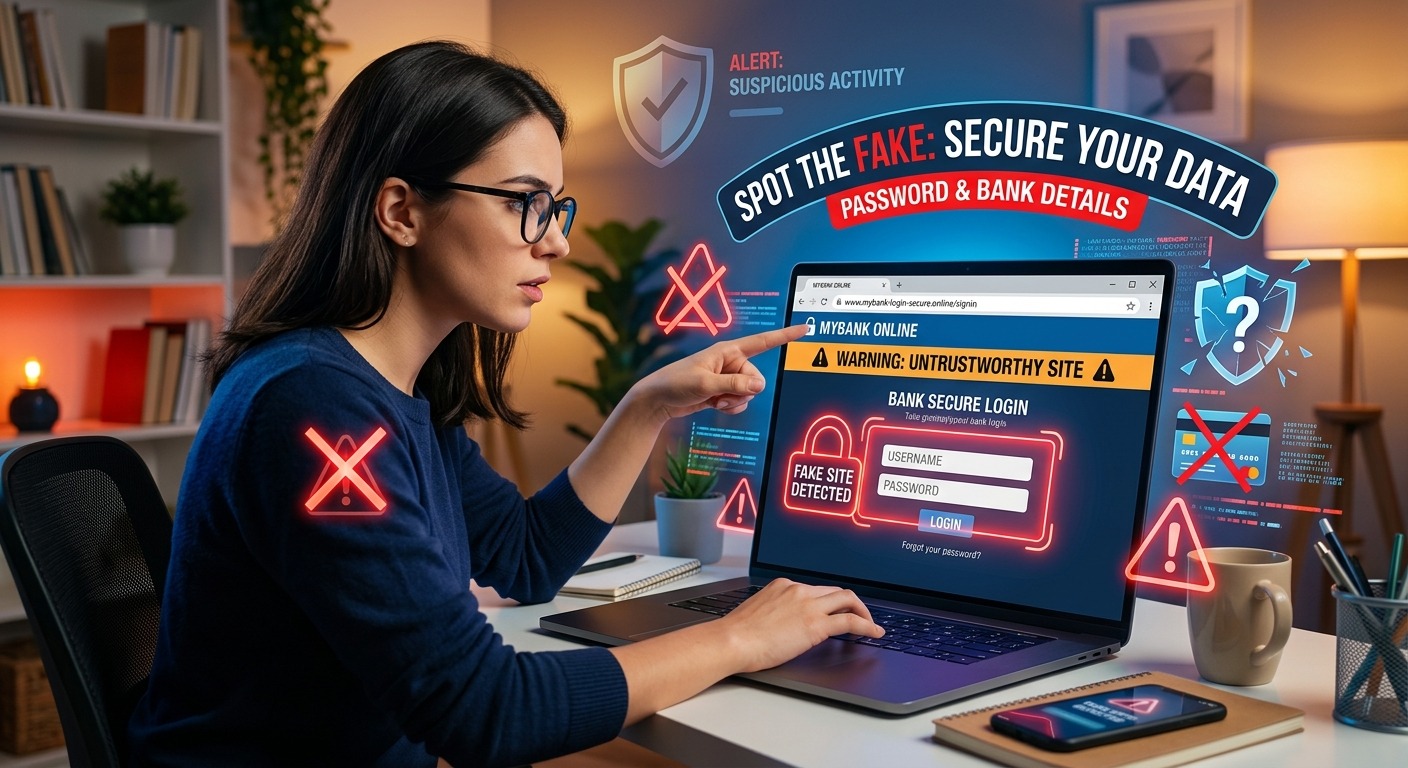
Your phone buzzes while you are waiting for lunch. A WhatsApp message says your bank account needs verification. Another day, an email might promise a government refund. You tap the link. The page has a familiar logo, neat menus, and a login box that looks right. Your thumb hovers over the password field. That moment of hesitation could protect your savings.
A fake website does not need to look sloppy. It only needs to feel familiar enough for you to act before checking. Give yourself two minutes before entering anything. Start with the address, check the connection, and confirm the request through a route you already trust.
Your Two-Minute Pause
Before entering a password or bank details, inspect the full website address and compare it with a trusted source. Check whether its security certificate is valid and matches that address. Treat recent certificate changes as a reason to investigate, rather than proof of fraud. Then open your usual banking app or independently reach the official service. A familiar logo, an encrypted connection, and an urgent message cannot establish that a website deserves your trust.
Spend the First Few Seconds Breaking the Rush
Read the message again before touching the form. Does it threaten to freeze your account? Does it say a refund expires today? Does it ask you to verify details immediately to avoid a penalty?
Urgency makes checking feel inconvenient. That is precisely when a pause helps. You can leave a message unanswered while you confirm it. A countdown on a webpage does not create an obligation to obey it.
Keep your hands away from the login fields during the check. Do not enter a spare password to test the page. Do not provide a one-time password, card number, or identity number while deciding whether the request is genuine. Testing with personal information gives the page exactly what it wants.
If you have not opened the link, inspect its destination first. On a computer, hovering over a link usually reveals the address. On a phone, pressing and holding may show it, depending on your app. Avoid selecting an option that opens the destination. If the address remains hidden or confusing, use your usual app instead.
Read the Address Before Trusting the Design
Give the address check about 30 seconds. Tap the browser address bar to reveal the full address. A page heading that says “Secure Banking” tells you nothing about who operates the website. Neither does a familiar photograph or government-style crest.
Focus on the hostname, the portion after the opening connection label and before the next slash. Read it slowly. Look for an extra letter, a substituted number, or unrelated words attached to a familiar name.
Consider a fictional bank whose trusted address is harborbank.example. An address reading harborbank.example.account-check.example belongs under account-check.example. The familiar bank name at the beginning does not make it the bank’s website. These examples are illustrations, not destinations to visit.
Words after a slash can also mislead. A scammer can place a bank name in a page path without owning that bank’s domain. Search results, message previews, and page titles may emphasize those familiar words while hiding the address that matters.
For a page claiming to represent a Singapore government service, check the hostname carefully against an independently obtained official address. Seeing “gov” somewhere in the text is insufficient. A government-looking phrase inside an unrelated hostname does not establish government ownership.
Use a saved bookmark you trust, an address from previous verified correspondence, or your established app to compare. If you cannot confidently explain which organization controls the address, stop the login attempt.
Check the Certificate Without Giving It Too Much Credit
Use the next part of your check to inspect the website’s security certificate. A certificate helps a browser establish an encrypted connection to a particular hostname. People often call this an SSL certificate, although modern connections use TLS technology.
Copy only the hostname into an SSL certificate checker. Avoid submitting the entire message link. Its longer address may contain personal identifiers or private access tokens. You do not need to enter your password, bank details, or one-time password to inspect a public certificate.
Read whatever certificate details the result provides. Check whether the certificate is within its validity dates, whether it covers the exact hostname, and whether its chain passes validation through a trusted certificate authority. If the result reports an expired certificate, a hostname mismatch, or a trust error, do not continue to a sensitive form.
“Correctly issued” needs careful interpretation. A certificate that validates for a hostname supports the connection to that hostname. It does not automatically confirm that the operator is your bank or a government agency. A scammer can obtain a valid certificate for a lookalike domain they control.
Check the issuance date too. A very recent certificate on an unfamiliar login site deserves closer attention. If historical certificate information is available, an unexpected change can add to your concerns. However, the current issuance date alone cannot tell you whether a certificate was recently swapped out.
Legitimate websites renew and replace certificates routinely. A recent replacement is not a reliable tell-tale sign of a cloned phishing site by itself. An older certificate does not clear a website either. Treat certificate information as one piece of the check, alongside the address and the request.
If the checker does not provide history, leave that question unresolved. Do not spend time hunting for technical records while an urgent message pressures you. Move to the trusted app or contact channel. The two-minute routine is a way to make a safer decision, not a promise that every suspicious site can be fully investigated within two minutes.
Confirm the Request Through a Route You Already Trust
Spend the remaining time checking whether the request exists outside the message. Close the linked page and open your banking app normally. For a government service, use a trusted bookmark or independently obtained official address.
Look for the claimed notice, account issue, or required action there. If you cannot find it, contact the organization using a number from your bank card, established app, or verified correspondence. A missing notice may need clarification. It does not justify returning to the suspicious form.
Avoid calling a number displayed on the questionable page. That number may reach someone involved in the scam. The same applies to a helpful-looking chat window that offers to guide you through verification.
Check what the page wants you to do. A supposed refund that requires your banking password deserves a stop. A request to disclose a one-time password to a person, install an unfamiliar app, enable remote access, or transfer money to protect it should end the interaction.
Passwords and payment approvals have different jobs. Before approving anything in your banking app, read the action and amount displayed there. Approval text matters more than the explanation supplied by someone messaging you.
Keep a Familiar Logo From Making the Decision
Good design can create confidence before you have checked the evidence. A copied footer, customer service badge, and polished login form can all make a page feel established. None verifies ownership.
Correct spelling also offers little reassurance. A convincing scam may use fluent English and details that fit your life in Singapore. It might arrive during a busy workday, mention a payment you expect, or resemble a message you received before.
The sender may even be someone you know. A compromised messaging account can carry a harmful link into a family group. Confirm with that person through another channel if the request seems unusual. Ask whether they actually sent it and why it needs your details.
Your safest decision does not require proving that a website is fraudulent. Uncertainty is enough to leave it and complete the task through an established route.
Act Promptly if You Already Entered Details
If you typed your banking password or card details into a questionable page, contact your bank immediately through its established app or the number on your card. Explain what you shared and whether you approved a transaction. Follow its instructions for securing access and affected payment methods.
If you shared a password, change it through the genuine service. Change it on other accounts where you reused it. If you installed software or allowed remote access, tell the bank and seek help securing the device before using it for further sensitive activity.
Keep the message, screenshots, address, and approximate time as evidence. Avoid reopening the page to gather more. Warn family members who received the same message, but share a screenshot instead of forwarding a clickable suspicious link.
Keep This Check Beside the Family Chat
A screenshot can make these habits easier to share with parents, grandparents, and anyone who prefers a short reminder. Keep the wording calm. People are more likely to ask for help when they expect support rather than embarrassment.
Before You Type: Pocket Checklist
Pause. Leave passwords, card details, and one-time passwords untouched while you check.
Read. Reveal the full address. Compare the hostname with a trusted address.
Inspect. Check certificate validity, hostname coverage, and trust errors. Recent issuance alone does not prove fraud. A valid certificate does not prove legitimacy.
Confirm. Open your usual app or use an independently verified contact number.
Stop. If anything remains unclear, close the page and ask someone you trust for help.
Agree on a family rule: anyone can ask for a second pair of eyes before entering sensitive details. At work, make the same pause acceptable before staff enter credentials or approve payments. A two-minute check becomes much more useful when the people around you support it.
The next convincing link may arrive while you are distracted. You do not need to judge it by appearance. Pause, read the address, inspect the certificate, and reach the service through a route you trust. That small habit can protect more than one account when you pass it on.