
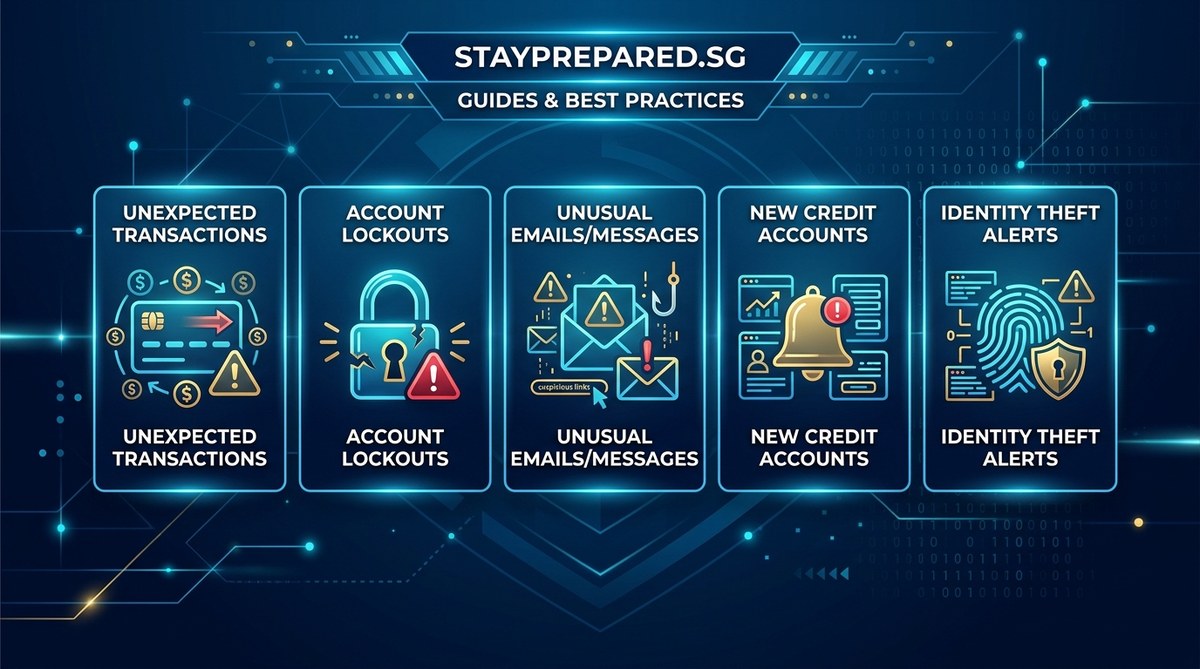
Detecting when your personal information has been compromised can be challenging. Cybercriminals are becoming more sophisticated, and their attacks often go unnoticed until significant damage is done. Recognizing the early warning signs is vital to minimize harm and take swift action. Whether it’s unauthorized transactions on your bank account or strange activity on your social media, staying alert helps you respond quickly. This guide will walk you through the common signs that your personal data might be at risk and what to do if you spot them.
Being aware of the warning signs that your personal information may be compromised helps you act fast. Regular checks on your accounts, monitoring your credit reports, and staying informed about cyber threats are crucial steps in protecting your digital identity. Recognizing these signs early can prevent further damage and save you from costly recovery efforts.
Common warning signs that your personal information has been compromised
Knowing what to look for can feel overwhelming, but many signs are straightforward once you know what to watch for. Here are some of the most common indicators that your personal data might be at risk.
1. Unrecognized activity on your financial accounts
One of the clearest signals is seeing transactions or charges you did not authorize. Hackers often use stolen bank or credit card details to make purchases or transfer funds. Regularly reviewing your bank and credit card statements can help you catch suspicious activity early.
2. Unexpected account access alerts
Many online services send notifications when there’s a login from an unfamiliar device or location. If you receive an alert about access you did not initiate, it could mean someone else has gained control of your account.
3. Receiving emails or messages about password resets
If you get a password reset email or security alert for accounts you never tried to access, someone might be attempting to take over your accounts. Cybercriminals often attempt to reset passwords to lock out the original owner.
4. Locked or restricted accounts
When you try to log into your email, social media, or other online services and find your account has been locked or restricted, it’s a sign that someone else may have compromised it.
5. Missing mail or unfamiliar correspondence
Physical signs such as missing bills, bank statements, or receiving mail addressed to someone else can suggest your personal information is being used elsewhere. Sometimes, hackers use your details to open new accounts or conduct fraud.
6. Credit report anomalies
Checking your credit report regularly is a good habit. If you notice unfamiliar accounts, inquiries, or credit activity you did not authorize, it indicates that your personal data has been accessed or misused.
7. Strange behavior on your devices
Unexpected pop-ups, slow performance, or new apps and software that you did not install may point to malware or spyware installed through phishing or malicious links.
8. Spam calls and texts increasing unexpectedly
A sudden surge in spam or scam calls and messages can be a sign that your phone number or email has been compromised or added to spam lists due to data breaches.
Practical steps to confirm if your personal information has been compromised
If you notice any of these warning signs, follow these steps to verify whether your data has been affected:
- Check your account activity — Review login history and recent transactions across all your online accounts.
- Run a credit report check — Use services like AnnualCreditReport to look for unfamiliar accounts or inquiries.
- Review your emails — Look for suspicious messages, especially those asking for personal details or containing links you did not open.
- Scan devices for malware — Use trusted security tools to run malware and spyware scans.
- Monitor your social media activity — Ensure no unauthorized posts, messages, or profile changes have occurred.
Techniques and common mistakes
| Technique | Mistake to Avoid |
|---|---|
| Regularly reviewing account statements | Ignoring small transactions that may seem insignificant |
| Using strong, unique passwords | Relying on the same password for multiple accounts |
| Setting up two-factor authentication | Disabling security features for convenience |
| Monitoring your credit report | Forgetting to check periodically, especially after a breach |
| Keeping device software updated | Using outdated security tools or ignoring alerts |
“The best way to detect a breach early is to stay vigilant. Check your accounts frequently, and don’t dismiss small anomalies—they often signal larger problems.” — cybersecurity expert
How to respond if you suspect your information has been compromised
- Change your passwords immediately — Use strong, unique passwords for each account.
- Activate two-factor authentication where available.
- Notify your financial institutions — Inform banks or credit card companies about suspicious activity.
- Place fraud alerts or freezes on your credit report — Contact credit bureaus to prevent new accounts from being opened in your name.
- Report identity theft or fraud — File reports with local authorities and relevant online platforms.
- Stay informed — Keep up with cybersecurity news to learn about new threats and scams.
How to keep your personal data safe moving forward
Prevention is key to avoiding future compromises. Regularly update your passwords, be cautious when clicking links or opening attachments, and stay aware of the latest scams. Educating yourself on common phishing tactics and protecting your devices with trusted security software can make a significant difference.
Some common pitfalls to avoid
| Technique | Mistake to Avoid |
|---|---|
| Relying on easy-to-guess passwords | Using birthdays or common words |
| Ignoring security updates | Failing to patch vulnerabilities on devices |
| Sharing personal info on social media | Providing details that criminals can use for scams |
| Using unsecured Wi-Fi networks | Connecting without a VPN or security measures |
Staying alert for new threats
Cyber threats evolve constantly. Keep an eye on cybersecurity updates and be cautious of unsolicited messages asking for your personal information. Regularly reviewing your privacy settings on social platforms and financial accounts helps keep your data secure.
How to protect yourself in a digital age
Practicing good security habits is your best defense. Use strong passwords, enable multi-factor authentication, and avoid sharing sensitive details online. Regularly check your credit reports and account statements. Remember, the sooner you detect suspicious activity, the easier it is to contain any damage.
Final thoughts: Stay proactive in safeguarding your personal information
Understanding the warning signs of personal information being compromised empowers you to act swiftly. Regular monitoring, strong security practices, and staying informed are your best tools for protection. By keeping a watchful eye and responding to early signals, you can reduce the risk of falling victim to cybercriminals and maintain control over your digital identity.
Protecting your personal data requires ongoing vigilance. Make it a habit to review your accounts regularly and stay informed about emerging threats. Being proactive today keeps your information safer tomorrow.