
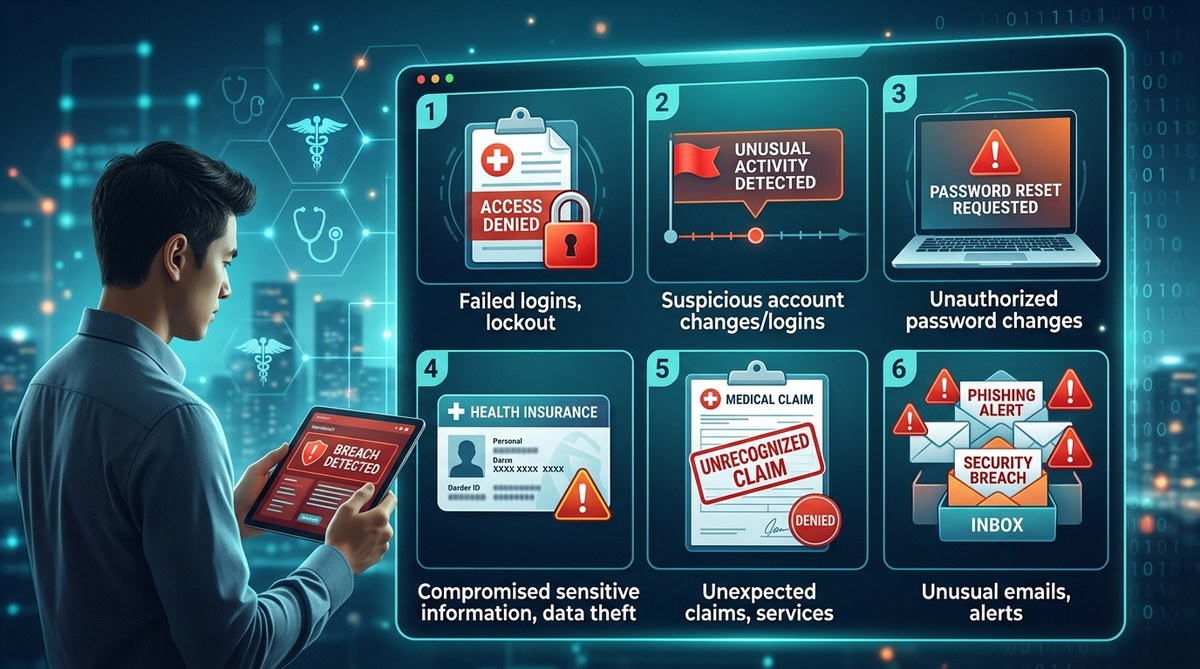
Your health insurance portal holds a treasure trove of sensitive information. Your name, address, Social Security number, medical history, and payment details. It’s exactly the kind of data hackers love to steal. In 2026, cyberattacks targeting healthcare platforms are more common than ever. The good news? Most breaches leave clues. If you know what to look for, you can catch an intrusion early and limit the damage. Here are the six unmistakable signs your health insurance portal has been hacked, plus exactly what to do about it.
Hackers target health insurance portals to steal personal and financial data for medical identity theft and fraud. Watch for unexpected login alerts, unfamiliar claims, changes to your profile, missing notifications, suspicious activity on linked accounts, or alerts that your credentials appeared in a data breach. If you spot any, act immediately: change passwords, contact your insurer, place a fraud alert, and monitor your accounts. Staying alert is your best defense against medical ID theft in 2026.
Why Your Health Insurance Portal Is a Target
Think about what your insurance portal knows about you. It has your diagnosis codes, prescription records, and payment methods. That’s a goldmine for identity thieves. Medical identity theft can cost thousands of dollars and take years to resolve. Unlike credit card fraud, fraudulent medical claims can affect your future coverage and even your medical records. A single hacked portal account can lead to incorrect treatments, false billing, and denied claims. That’s why recognizing the signs your health insurance portal has been hacked is not just about privacy. It’s about your health and finances.
Sign #1: Unexpected Login Alerts or Password Changes
You get an email or push notification saying someone logged into your account from a device you don’t recognize. Or you try to log in and discover your password has been changed without your input. These are classic indicators of unauthorized access.
Hackers often test stolen credentials on insurance portals. Once inside, they may change your password immediately to lock you out. If you receive a “password reset” email you didn’t request, treat it as a red flag.
What to do:
– Use the “Forgot Password” feature to regain access.
– Check your account’s “recent login” history (most portals have this).
– Enable multi-factor authentication (MFA) immediately.
For a deeper look at securing your digital accounts, read our guide on password management best practices.
Sign #2: Unfamiliar Changes to Your Personal Information
Your home address, phone number, or bank account details look different than what you remember. Hackers change these details to reroute communications or financial reimbursements to themselves.
One policyholder discovered that her residential address had been changed to a P.O. box in another state. She only noticed when her paper Explanation of Benefits stopped arriving. By then, the hacker had already submitted fake claims under her name.
Check your profile regularly. If you see any changes you didn’t make, that’s one of the clearest signs your health insurance portal has been hacked.
Sign #3: Claims or Bills You Don’t Recognize
You receive an Explanation of Benefits for a procedure you never had. Or your insurer denies a claim for a visit to a specialist you’ve never seen. This can mean someone else used your insurance ID to receive care.
Unrecognized claims are the most common symptom of medical identity theft. According to the Federal Trade Commission, victims often learn about the fraud only when they get a bill for someone else’s treatment.
If you spot a suspicious claim:
1. Contact your insurance company’s fraud department.
2. Request a copy of your complete claims history.
3. Ask for an investigation and dispute the fraudulent claim.
4. File a report with the FTC at IdentityTheft.gov.
5. Place a fraud alert on your credit reports.
Sign #4: Missing or Withheld Notifications
All of a sudden, you stop getting email or text alerts from your insurance portal. Perhaps you used to receive confirmation when a claim was processed, but now there’s silence. Hackers sometimes change your notification preferences so you won’t see their activity.
They may also set up email forwarding rules to intercept your communications. If you suspect this, check your notification settings in the portal and verify that your contact email hasn’t been changed. Also review your email account’s forwarding rules.
For more on detecting hidden intrusions, explore our article on how to detect and remove spyware from your devices.
Sign #5: Strange Activity on Linked Accounts
Many health insurance portals let you link other accounts: pharmacy benefits, dental plans, or telehealth services. If you see unfamiliar activity on a linked service, it could trace back to a compromised portal login.
For example, a hacker might use your portal credentials to request a prescription refill or book a virtual visit under your name. This activity often goes unnoticed because it doesn’t directly affect your primary insurance claims.
Keep an eye on all connected accounts. If something looks off, log out of all sessions from your portal and change your password.
Sign #6: Your Login Credentials Were Exposed in a Data Breach
You get a notification from a service like Have I Been Pwned or your own email provider that your login details appeared in a breach. Even if your insurance portal wasn’t part of that incident, many people reuse passwords across sites. A credential stuffing attack can then break into your insurance account.
Check if your email or passwords have been part of a known leak. If they have, consider that a strong warning sign that your portal may be next or already compromised.
Expert Advice: “Do not reuse passwords across multiple websites. Use a password manager and enable two-factor authentication wherever possible. Medical identity theft often begins with a single stolen password.” — Cybersecurity analyst, Federal Trade Commission
What to Do Immediately If You Spot a Sign
If you confirm any of the signs your health insurance portal has been hacked, act fast. Here is a numbered list of practical steps:
- Lock your account. Use your insurer’s emergency lock feature if available, or call customer service to freeze your account.
- Change your password. Use a strong, unique password. Do not reuse it elsewhere.
- Enable multi-factor authentication. Most major insurance portals now offer this.
- Review your claims and payment history. Report anything suspicious to the fraud department.
- Place a fraud alert on your credit reports. Contact one of the three major bureaus—Equifax, Experian, or TransUnion—and they’ll notify the others.
- Monitor your medical records. Request a copy from your healthcare providers to check for unauthorized entries.
- Consider a credit freeze. This prevents new accounts from being opened in your name.
For a comprehensive response plan, see our guide on what to do in the first 24 hours after a data breach.
Common Hacking Methods vs. Protection Mistakes
Below is a table that maps how hackers typically break into health insurance portals and the common mistakes people make that leave them vulnerable.
| Hacking Method | How It Works | Common User Mistake |
|---|---|---|
| Credential stuffing | Uses stolen passwords from other sites to log into your insurance account. | Reusing the same password across multiple accounts. |
| Phishing emails | Sends fake messages that look like your insurer asking for login details. | Clicking suspicious links or entering credentials on lookalike sites. |
| Session hijacking | Intercepts your active session cookie to take over your account. | Using public Wi-Fi without a VPN on a portal. |
| Social engineering | Calls or texts pretending to be your insurer and convinces you to share a code. | Giving out MFA codes or personal info over the phone without verification. |
| Malware / keyloggers | Infects your device and captures keystrokes, including passwords. | Skipping antivirus updates or downloading unverified software. |
For a more detailed analysis of risk, check out why traditional risk management fails in the age of AI and cyber threats.
How to Build a Routine That Keeps You Protected
You don’t need to be a cybersecurity expert to stay safe. A few simple habits can dramatically reduce your risk.
- Set a monthly calendar reminder to check your insurance portal for any changes to your personal info, recent claims, and notification settings.
- Use a unique, strong password for your portal and store it in a password manager.
- Enable MFA even if it’s just a text code. It’s one of the best defenses.
- Review your credit reports at least once a year for free at AnnualCreditReport.com.
- Install antivirus and keep it updated on every device you use to access the portal.
A great resource for conducting your own audit is how to conduct a personal security audit in 7 simple steps.
Staying a Step Ahead: Your Security Routine
The best time to strengthen your defenses is before a breach happens. Medical data is permanent, and the consequences of a hacked portal can haunt you for years. By learning the signs your health insurance portal has been hacked and acting quickly, you turn a potentially devastating event into a manageable response.
Make it a habit. Once a quarter, log into your portal and verify everything. It takes five minutes. That small effort can save you from the nightmare of medical identity theft. You deserve peace of mind, and you have the power to protect it. Stay prepared, and stay safe.